12
I have a similar problem, but on Lemmy.zip (Lemmy.world looks fine). However, I am running Fedora Kinoite (immutable), where Firefox is not installed as Flatpak.


I have a similar problem, but on Lemmy.zip (Lemmy.world looks fine). However, I am running Fedora Kinoite (immutable), where Firefox is not installed as Flatpak.
I've been using Fedora Kinoite for a few months now. Before that, I also hopped between different distros quite a bit, including Ubuntu, Mint, Fedora Workstation, openSUSE. To be honest, I really appreciate the immutable nature of Kinoite and maybe that is why I am really happy with the experience. Even "normal" Fedora Workstation caused a lot of problems during my usage and with Kinoite, nothing like that so far. So I can really recommend it.
There's only one really small problem I've noticed, which is a problem with the rendering of some fonts on web pages (e.g. lemmy.zip). These fonts are not rendered correctly, or are replaced with some default fonts, and they just look weird. There was nothing like this in openSUSE KDE, so I assume the problem is with Kinoite itself, as I have this problem on two machines. However, it is so rare (I only noticed it on two websites) that it can be ignored.
Thanks for the link! I hadn't come across this site before and it explains a lot.
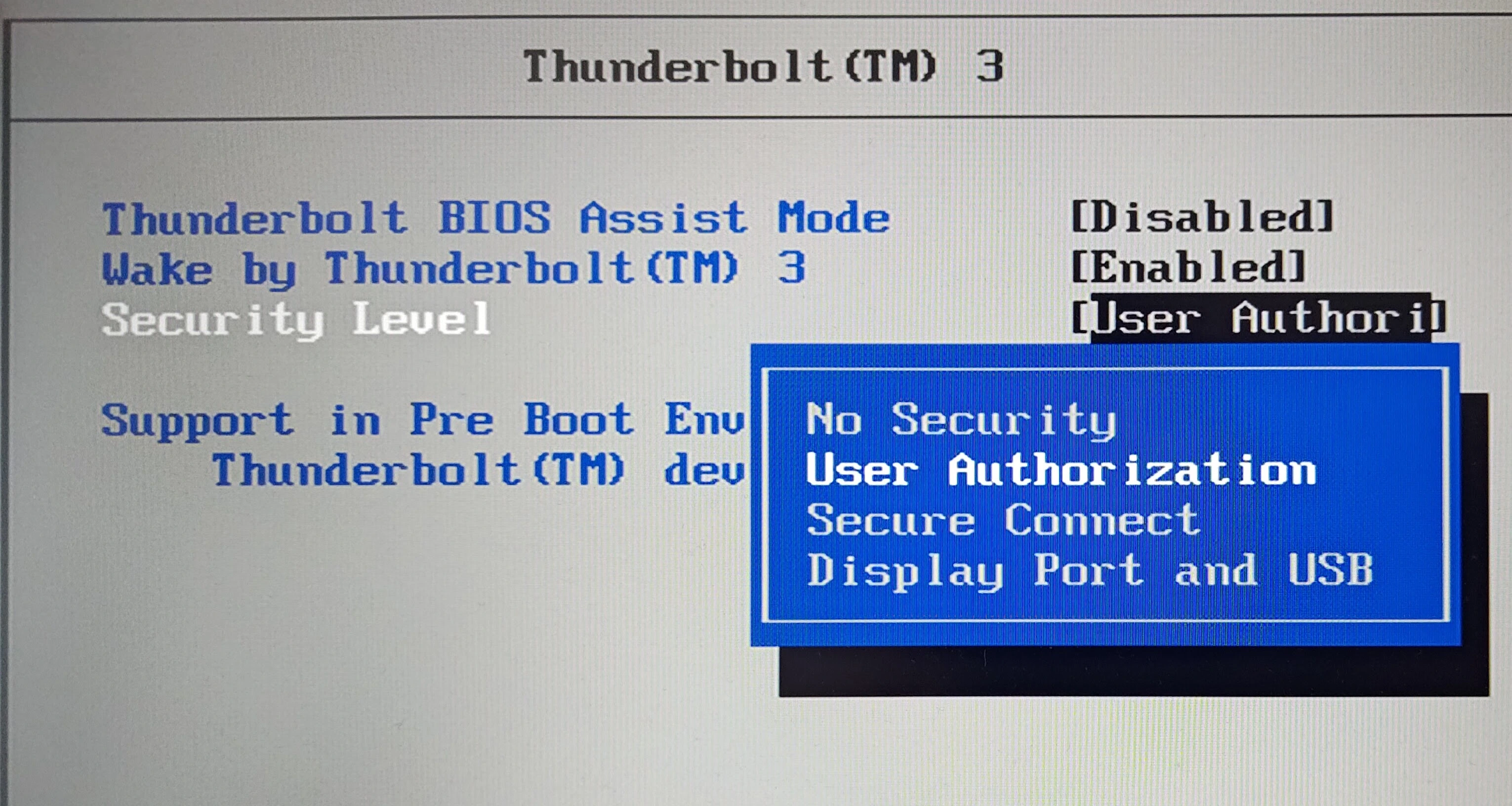
For the Thunderbolt 3, I had the security level set to "User Authorization". I remember KDE Plasma showing me a popup asking for authorization for the Thunderbolt 3 port. I think I will just turn it off to make sure the docking station has the correct permissions.
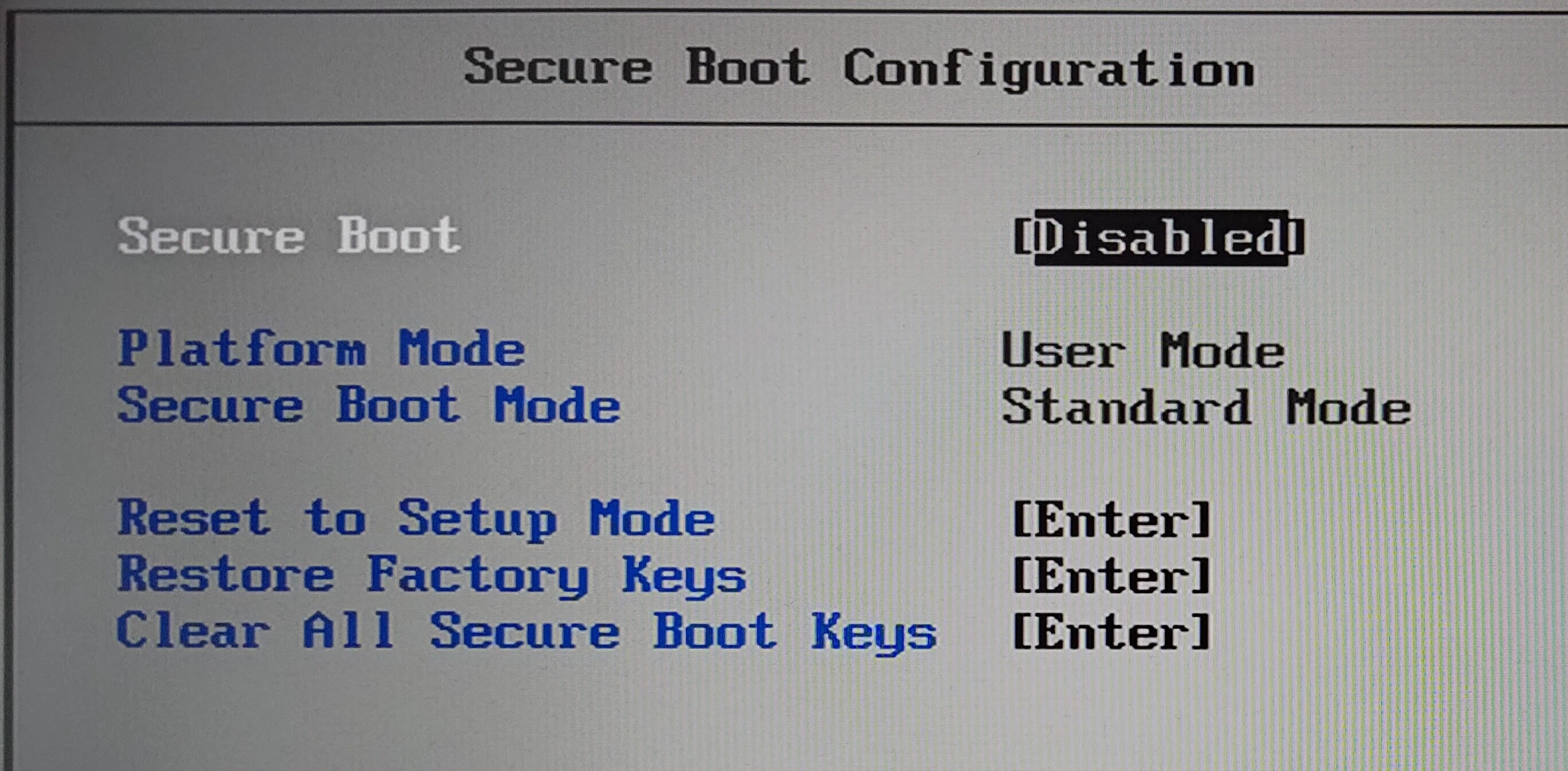
Secure boot has already been disabled.
When I get home, I'll write about what I've achieved with this DELL docking station when I've finished checking it all out. But it looks like that these problems may be caused by the Thunderbolt implementation used in the laptop, as you wrote...
https://www.reddit.com/r/thinkpad/wiki/newdocks/
40A9 - ThinkPad USB-C Dock Mixed mode USB C dock daisy-chained to an MST hub. It can drive two 1080p @ 60 Hz and 5 Gbps USB ports. ** Warning: ** there's a credit report of the MST chip dying in there.
40AC - ThinkPad Thunderbolt 3 Dock Thunderbolt 3 dock + MST hub. Most of the time, a much cheaper USB-C dock or a competitor's TB 3 dock is a better bang for the buck; this thing is a bit expensive for what it offers. Especially bad purchase for the X2/T laptops because their half Thunderbolt matched with this dock has zero advantage whatsoever over the dual USB-C Pro/Ultra docking stations. In fact, if the Ultra explanation above is correct then the Ultra provides more video bandwidth than this one.
https://www.reddit.com/r/thinkpad/wiki/newdocks/
DisplayLink is not DisplayPort, avoid like the plague. Lenovo docks using this technology include "40AA", "40A7", "40A8" and the Hybrid dock "40AF".
This is definitely more affordable and also has two output ports for the display. The laptop has a 65W charger, so this is no problem at all.
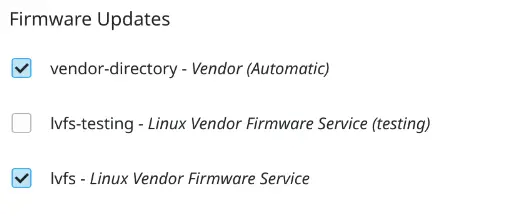
Oh, that's interesting... I'm pretty sure I have the latest firmware installed on the laptop - I remember seeing some Lenovo updates in KDE Discover. I have vendor-directory and lvfs enabled there for firmware updates. When I open the BIOS, the ME firmware version is 11.8.94.4494.
However, now I'm not sure if I've tried both of the USB-C ports with THIS docking station. I certainly tried them with another one I had for a few weeks.
I've never done anything with the dock itself as it belongs to my company and I didn't want to risk breaking anything. But I have all this DELL software installed on my work laptop, so I guess it should update itself automatically? I will check all this after New Year's Eve as I am not at home at the moment and do not have access to the docking station.
So you're saying it's safer to get this USB dock than the Thunderbolt one?
On this page, in the list at the bottom, I can see both the T14 series and the Z16 series. However, there is no T480 (but there is a T490): https://smartfind.lenovo.com/accessories/#/products/40AY0090US So I am not sure if it fits... However, it does allow quite high resolutions at 60Hz (2x 3840x2160 @60Hz), so we can say with some confidence that 165Hz at 1080p won't be a problem. At 479 PLN (~122 USD), it is still affordable. In general, the case with pricing is that I paid 2200 PLN (~559 USD) for this laptop and I just don't want the docking station to be half the price of it :)
I think I will risk it with this model, considering the resolution/refresh rate.
I've already seen this one, but with "Plus" in the name: CalDigit TS3 Plus. Unfortunately, it doesn't have an HDMI port, just a DisplayPort, and it's also quite expensive: 999 PLN (~254 USD).
I've found an after-lease Lenovo 40AC (model no. DBB9003L1) for 265 PLN (~68 USD). Unfortunately, I can't see any video performance information on Lenovo's website: https://pcsupport.lenovo.com/us/en/solutions/acc100356
However, the 40A9 does say that it supports two 1080p 60Hz displays via DisplayPort: https://support.lenovo.com/us/en/solutions/acc100348
I assume the 40A9 model is the worse of the two - when I go to my laptop's specs on the Lenovo website and check for compatibility, the 40A9 is in the USB Dock category and the 40AC is in the Thunderbolt Dock category (what's the difference?). So with 40AC it's probably the same at worst, maybe better.
Unfortunately, where I use the dock there is only a Wi-Fi connection. So I can't say anything about LAN speeds. I copied an 8GB file from the WD7500BPKX via the USB 3 port and the transfer was around 88 MiB/s. However, the transfer itself froze twice for a few seconds, which didn't happen when using the laptop's built-in USB port (speeds were about the same). So it's certainly not ideal...