251
60
submitted 2 years ago* (last edited 2 years ago) by mac@programming.dev to c/git@programming.dev
252
31
253
102
submitted 2 years ago* (last edited 2 years ago) by mac@programming.dev to c/git@programming.dev
254
6
255
6
Diff debugging (martinfowler.com)
256
27

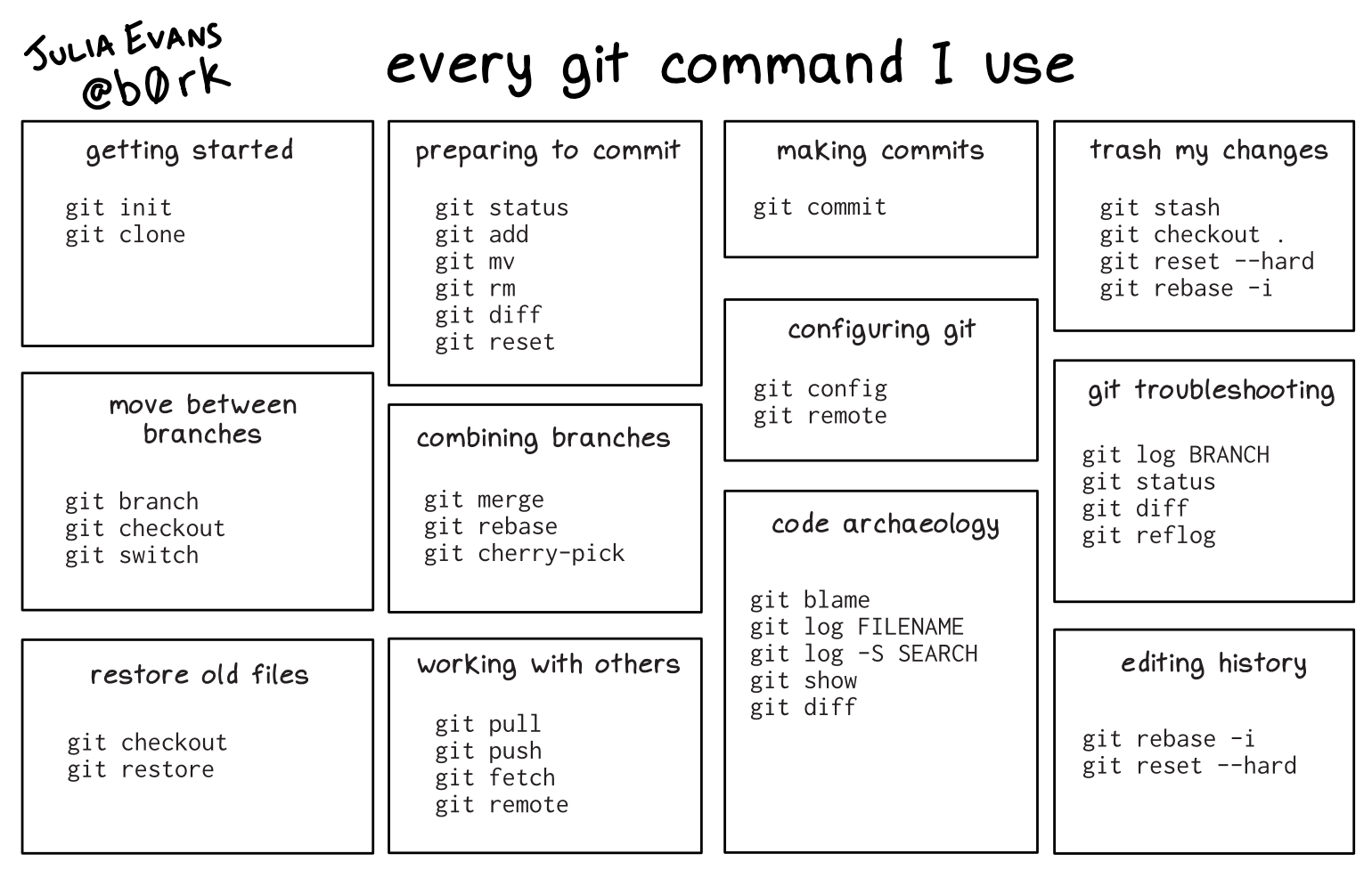
So I've just learned that git rebase -i allows users to merge individual commits in the middle of a branch's history. For that,

$ git rebase -i

This should bring a list of all commits in reverse order, similar to the one listed below:

pick 2361d4d implements something
pick a700451 fixes a bug
pick 79f9d04 fixes a bug again
pick 3172f07 implements some other thing

# Rebase 484d6d2..3172f07 onto 484d6d2 (4 commands)
#
# Commands:
# p, pick  = use commit
# r, reword  = use commit, but edit the commit message
# e, edit  = use commit, but stop for amending
# s, squash  = use commit, but meld into previous commit
# f, fixup [-C | -c]  = like "squash" but keep only the previous
#                    commit's log message, unless -C is used, in which case
#                    keep only this commit's message; -c is same as -C but
#                    opens the editor
# x, exec  = run command (the rest of the line) using shell
# b, break = stop here (continue rebase later with 'git rebase --continue')
# d, drop  = remove commit
# l, label  = label current HEAD with a name
# t, reset  = reset HEAD to a label
# m, merge [-C  | -c ]  [# ]

It's possible to merge commit 79f9d04 with a700451 by updating the list of commands to set squash instead of pick in the commit you want to flatten onto the previous one, such as:

pick 2361d4d implements something
pick a700451 fixes a bug
squash 79f9d04 fixes a bug again
pick 3172f07 implements some other thing

(...)

Once we save the commit, Git opens an editor to rework the new commit message for the squashed commits, and you're set.

257
5
258
9
submitted 2 years ago by mac@programming.dev to c/git@programming.dev
259
17
260
6
261
47
262
15
263
18
264
3
submitted 2 years ago by larida@lemmy.sdf.org to c/git@programming.dev

Hello,

I have only ever used git in very very basic way: commit, branch, merge request, that's pretty much it.

I have a use case where I pull the repository locally, branch (let's call it branch1), write some code, test it, commit, then create a merge request to master branch.

The merge request takes some time to be approved. During that time I would like to add more edits on top of those I submitted in the merge request. What would be the correct steps here?

265
8
submitted 2 years ago by mac@programming.dev to c/git@programming.dev
266
15
267
5

Our team has three seniors. We have 3 juniors and more coming up.

We want to have some set of organization in our git repos. I want the three of us to be required reviewers for the team repos, but we three should be able to merge pull requests for our codes without having to get it code reviewed by the other two.

I tried setting up a codeowners file in github with our team admin group as the codeowner, but it is making me unable to merge PRs for my code without the other two reviewing it. I can add our individual handles as code owners, but that would mean I would need to update every individual repo if we get a new admin or one of us goes away.

What is the best way to achieve what I’m looking for? Please advise.

268
4
Git Patch Stack Goals (engineering.uptechstudio.com)

Audio and transcript of a discussion of the goals and intent of the Git Patch Stack project.

269
23
270
11
271
8
272
9
273
12
274
10
275
3

This is an audio recording I made to try and start to more clearly formulate my thoughts and ideas around these different Git workflows. I would love to hear your thoughts and ideas around these workflows and this topic in general.

view more: ‹ prev next ›

Git

4740 readers
1 users here now

Git is a free and open source distributed version control system designed to handle everything from small to very large projects with speed and efficiency.

Resources

Rules

  1. Follow programming.dev rules
  2. Be excellent to each other, no hostility towards users for any reason
  3. No spam of tools/companies/advertisements. It’s OK to post your own stuff part of the time, but the primary use of the community should not be self-promotion.

Git Logo by Jason Long is licensed under the Creative Commons Attribution 3.0 Unported License.

founded 3 years ago
MODERATORS