1051
71

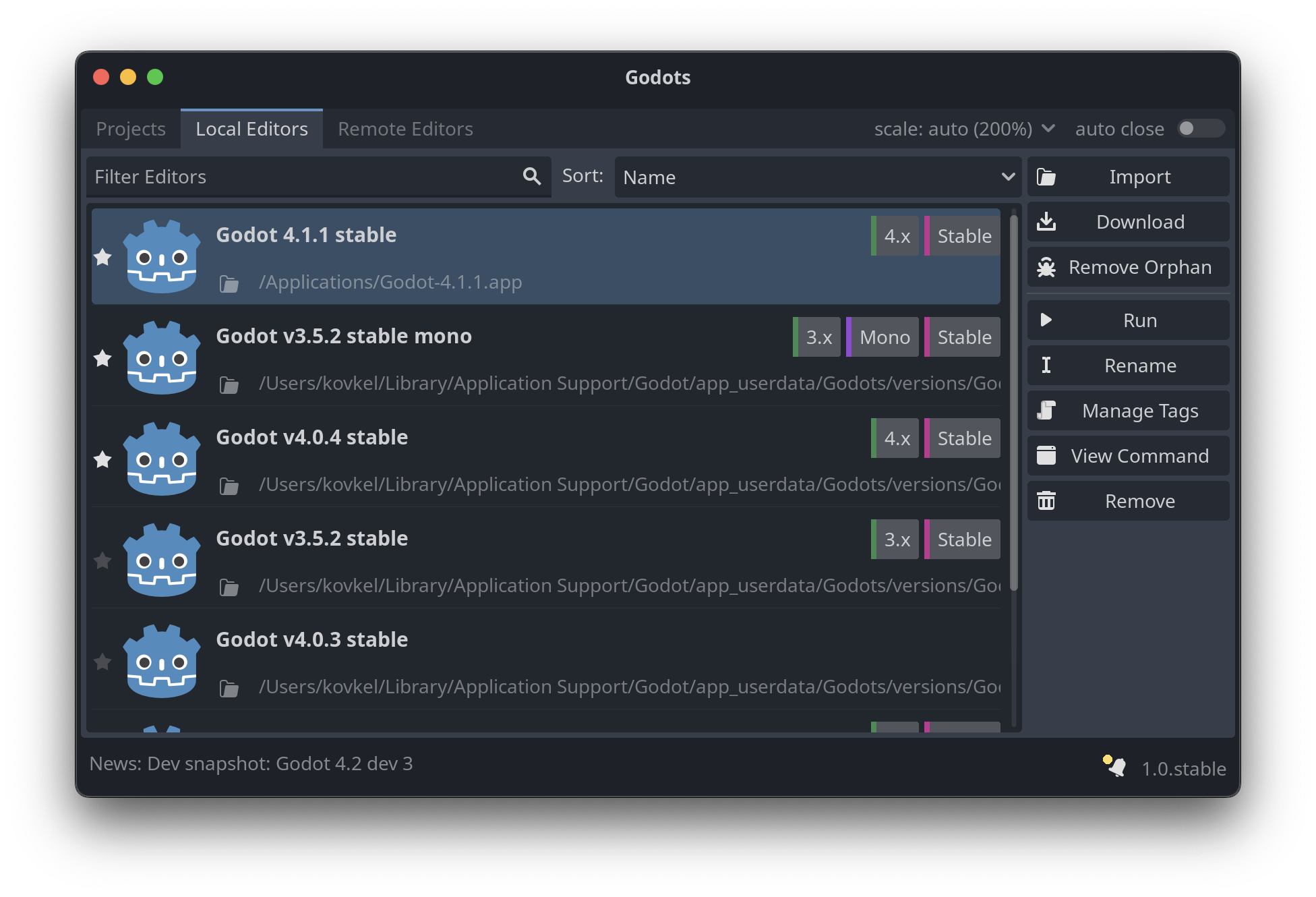
Nice app I saw shared

Source: https://github.com/MakovWait/godots

Download Links (Win, Macos, Linux): https://github.com/MakovWait/godots/releases/tag/v1.0.stable
1052
26
1053
10
submitted 3 years ago by abc@lemmus.org to c/godot@programming.dev

CBT Panic Emulator is a very short walking simulator about someone who experiences panic disorder.

Play it here: https://vaporshark.itch.io/cbt-panic-emulator

YouTube Mirror

1054
6

I know that motivated people can generally crack encrypted saves, but in general, if I have some saved dictionaries which I don't want the player to be able to access directly, is an encrypted save the best way to handle this, or is there a better way?

1055
12
submitted 3 years ago by abc@lemmus.org to c/godot@programming.dev

Military Conscription Simulator is a satire clicker game made by Skinner Space.

Play it: https://skinner-space.itch.io/military-conscription-simulator

YouTube mirror

1056
4
MMM (By: KiKO TOMAZ) (files.catbox.moe)
submitted 3 years ago by abc@lemmus.org to c/godot@programming.dev

MMM is a first-person turn-based shooter made by KiKO TOMAZ.

Download: https://kikotomaz.itch.io/mmm

YouTube mirror

1057
28
submitted 3 years ago* (last edited 3 years ago) by Ategon@programming.dev to c/godot@programming.dev

Verses of Enchantment

Koi Zen: Opposite Colors

SokoSolitaire

Vanaris Tactics

Broken Lens

Endless Adventure

Gozen Video Editor

Death Unphased

Maces and Dices

Engine Roar

1058
17

Continuation of lukky's fps tutorials. First one was posted here https://programming.dev/post/1433628

1059
23
1060
25
submitted 3 years ago by simple@lemm.ee to c/godot@programming.dev

Yay for 2D HDR! Shame it isn't for the compatibility renderer, though.

1061
33

Nice multiplayer tutorial

1062
12
1063
21

Once it gets to ~5 it gets to be a lot to scroll through on some UIs 🥲

1064
38
  1. Constraint Solving
  2. Deformable Mesh
  3. Wiggle bone
  4. WigglyAppendage2D
  5. Third person camera
  6. Auto Layout
  7. Panku Console
  8. Mirror
  9. RL Agents
  10. Inventory System
1065
17
1066
20
1067
21
1068
19
submitted 3 years ago* (last edited 3 years ago) by duckington@lemmy.world to c/godot@programming.dev

Hey all. I have been tinkering on and off with godot for a month or so now, and I've spent a decent amount of time writing shaders and checking out some of the different lighting & post-processing features the engine has to offer. It's been a lot of fun!

However, despite a lot of practice and research, I haven't really been able to create something that really feels polished. Of course, I know that it takes time and effort and iteration to make a beautiful environment, just as with any other medium. Despite knowing that, I still feel like I can't really see the path from tinkering with lightmaps to something like Hyper Demon or Heavy Bullets or even something simple like Muck.

For example, I've been trying to capture the atmosphere of some of the art from Julian Faylona, especially something like this:

Outer Wall

I had a lot of fun learning how to model the buildings, how to set up lighting and bake lightmaps and enable post-processing effects like glow, etc, etc. But it seems like I'm always missing something that brings it from "Game engine project #2857" to a striking, or at least compelling, environment.

So, I wanted to ask y'all: how do you approach polish in your projects, visual or otherwise? Is there anything specific you focus on, or anything you've had challenges with in the past that you learned from?

Again, I'm not expecting some magic trick that will magically make my projects pristine-- like any piece of art, polish is the result of many small details coming together to form a whole. I just think some pointers on what to spend time on, things to practice, details a beginner might overlook, or resources to study would be super helpful to me and many other newer devs in honing their skills!

Thanks for reading :)

1069
12
1070
25
submitted 3 years ago* (last edited 3 years ago) by Ategon@programming.dev to c/godot@programming.dev

Hey everyone! Just wanted to let you know that we have a matrix room now for the p.d godot community.

Matrix is a decentralized chatting app a bit similar to discord. This space will just be used for quicker chat between members of the community and to discuss things happening in it. Majority of communication and announcements will still be happening in the lemmy community but figured having a chat to go along with it would be nice

Feel free to join here: https://matrix.to/#/#p.d-godot:matrix.org

Will update the sidebar with a link to it shortly

1071
10
submitted 3 years ago* (last edited 3 years ago) by Ti_Ka@lemmy.blahaj.zone to c/godot@programming.dev

When i'm running more than one instance of the game, is there any quick way to tell which instance of the game is the one that gets its scene tree displayed under "Remote" in the editors scene tab?.

1072
36
1073
13
1074
45

Pretty nice tutorial by Lukky

1075
14
view more: ‹ prev next ›

Godot

8024 readers
26 users here now

Welcome to the programming.dev Godot community!

This is a place where you can discuss about anything relating to the Godot game engine. Feel free to ask questions, post tutorials, show off your godot game, etc.

Make sure to follow the Godot CoC while chatting

We have a matrix room that can be used for chatting with other members of the community here

Links

Other Communities

Rules

We have a four strike system in this community where you get warned the first time you break a rule, then given a week ban, then given a year ban, then a permanent ban. Certain actions may bypass this and go straight to permanent ban if severe enough and done with malicious intent

Wormhole

!roguelikedev@programming.dev

Credits

founded 3 years ago
MODERATORS