201
14
wifi driver (lemmy.world)
submitted 2 years ago* (last edited 2 years ago) by cosmicrookie@lemmy.world to c/linuxmint@lemmy.ml

EDIT: thanks for the help. Solution was to connect my phone through USB and download the driver through it's shared connection. Just plug in through USB, enable Hotspot, and enable usb tethering.

I am having trouble with my wifi drivers. Before installing mint, I checked that I had them. I ran the test of mint, had the same issue but was able to install the driver from the USB.

After installing mint, I now try to I'd the same, but it can't do it. It asks to mount the instalation drive and when I procede, it tells me it can't download the package whilst offline, even though it did when I tested mint before installing.

Any tips on what I could do? I have no ether/cable connection but I assume that the driver should be on the USB if it managed to install during testing?

Ps: interesting thing is, if I try to boot from the USB, I get the option between the drives that I want to boor from and wifi. The wifi actually works there!

202
39
submitted 2 years ago by Loucypher@lemmy.ml to c/linuxmint@lemmy.ml

I have been testing for a few weeks Mint, originally started on 21.2 on an old 2012 MacBook Air… the OS was flying! As I was looking at this now 10 years old machine, now back to usable speed again I was pleasantly surprised. On my desktop was still running Fedora that is just a bit more shiny and has the latest “stable” packages.

I had a negative bias on Mint as I disliked the idea of a newbie’s distro and was two steps away from Debian so for some time I left it aside.

A couple of weeks after that I decided to dust off an old 2013 iMac for my wife to be using as desktop machine and, she being a windows gal, I thought a safe bet would have been Mint that doesn’t feel alien for those coming from that OS.

Again, mind blown by the performance.

I decide to play it risky and so I reimagine it with LMDE: everything works out of the box. I just install the NVIDIA driver from Synaptics and then the computer is set.

This was the drop that made me go on the rabbit hole. I went on a spree to install LDME on an old gaming laptop that was hidden in the dust for now 5 years and then to a few other machines. (Yeah I have a bit of spare hardware lying around)

The last few days I have been thinking to put mint on the main desktop but was afraid of letting GNOME go… and so I decided to test GNOME on one of those LDME machines…

Omg…. Mind blown again. Essentially we can now have Debian with all the delicious little Mint tools. This kinda feels like how Debian is supposed to be! But it is Mint! Even GNOME contains all the little things that, on Fedora for example, I used to have to install manually but now they were there already! Like Gnome Tweaks, or extensions like the Places indicator or other small ones…

I am not sure I am managing to convey how this feels… I have always wanted to have Debian but Debian has made it, one way or another, impossible for me to stay. Mint is making it possible today. What a blessing of a distro.

Rant over.

Side note: I think I have fallen in love with Cinnamon, oups!

203
11
submitted 2 years ago by jackpot@lemmy.ml to c/linuxmint@lemmy.ml
204
6
submitted 2 years ago by mambabasa@slrpnk.net to c/linuxmint@lemmy.ml

I added a YouTube livestream as a channel on Hypnotix. It was added to favorites automatically. I don't see any UI to edit it. Is there a way to edit added channels?

205
13
submitted 2 years ago by mr_MADAFAKA@lemmy.ml to c/linuxmint@lemmy.ml
206
6
submitted 2 years ago by jackpot@lemmy.ml to c/linuxmint@lemmy.ml
207
24

Video description:

Mint 21.3 is still based on Ubuntu 22.04 and its super old kernel, version 5.15. You do get the Mesa drivers version 23, but you don't get the latest Nvidia drivers either, you're still on 535.

So, you can select that new Wayland session from the login screen. I tested this on a spare laptop that uses an Intel Xe integrated GPU, and also has a dedicated Nvidia GPU.

At first glance, everything seems to work ok, but it's an experimental session, and it's missing a few things. OBS, for example, has no source for the display: Cinnamon doesn't seem to support the screen sharing protocol through pipewire, so OBS has nothing to display here. You won't be sharing your screen to anyone just yet.

Another issue I encountered is the lack of any sudo graphical prompt: anytime I needed to install a package or update the system, I had to use the command line.

I also got some inconsistencies in the place where menus appeared, there were also a few things that I couldn't find, like changing the keyboard layout in the Wayland session, the "layouts" tab doesn't appear in the settings where it should be. The gestures of Cinnamon also don't work here for now, you can enable them, but they won't do anything.

The hot corners did work though, with their nice animations and features, but there were some weird graphical things happening. Some settings pages also seemed to have some sort of infinite scroll and didn't stop at their own content, which was a bit weird.

After that, I tried the Wayland session on Nvidia, and, all the problems I had experienced previously were still there, obviously, because they all are missing features in that experimental session, so no reason to expect them to work better here. But I also didn't get any other issue that I didn't see in the wayland session with the Mesa drivers.

So just as a little experiment, I also decided to run a game in the Wayland session, namely Warhammer 40K Mechanicus:

  • Wayland + Intel: 25-32 FPS
  • Wayland + Nvidia: 60-65 FPS
  • X11 + Intel: 32-37 FPS
  • X11 + Nvidia: 65-75 FPS

Ok, so now, let's talk about the other changes in Linux Mint 21.3. In terms of apps updates, Hypnotix, the TV watching app now lets you set channels as favorites. You can also create your own custom TV channels if you want.

Cinnamon will also now let you download Actions. These are add-ons for the file manager, that will appear in the right click context menu, letting you do, well, custom actions.

Warpinator, the file sharing app now lets you connect to a device manually by just entering its IP address of scanning a QR code. The Sticky Notes app can now be managed by DBus, meaning you can manage notes using scripts, and the bulk rename tool of Mint now supports drag and drop and thumbnails.

As per the desktop itself, you can now use 75% fractional scaling on X11 if you want that, you can also set keybinds to change the window opacity again, you can disable stylus buttons if you use that sort of hardware, and gestures got a bit better with the ability to set a gesture to zoom in on the desktop.

208
34
submitted 2 years ago by fpslem@lemmy.world to c/linuxmint@lemmy.ml

The Linux Mint community has once again released a top-tier Linux desktop: Linux Mint 21.3 Virginia. I've used more Linux distributions than most people, and Mint is my favorite desktop distro.

My bias starts with Mint's Ubuntu 22.04 Long Term Support (LTS) and Linux kernel 5.15 foundation. It's a stable, reliable operating system for both new and experienced users. Since it's also a Mint LTS, you can use it without any worries until April 2027.

209
11
submitted 2 years ago by mr_MADAFAKA@lemmy.ml to c/linuxmint@lemmy.ml
210
5

Hi! I previously had windows installed on an intel RST raid 0 disk and I'd like to switch it to Linux mint instead. However, from what I've found, rst isnt compatible with Linux mint as it's specifically a windows thing.

I'd like to install Linux mint directly onto the raid array and I don't mind erasing windows and starting from scratch, but I can't seem to find a comprehensive or comprehensible guide on how to do that.

Any help on where to start would be very much appreciated!

Cheers!

211
24
submitted 2 years ago by Kory@lemmy.ml to c/linuxmint@lemmy.ml
212
0
submitted 2 years ago* (last edited 2 years ago) by bluestarshield@lemmy.ml to c/linuxmint@lemmy.ml

I am needing to transfer a singular file of roughly 4.8GB from Linux Mint onto a thumb drive, so that I can transfer it to my Windows install on a separate partition on the same PC. However, it has repeatedly failed after 4.3GB, with an error message reading "Error splicing file: File too large".

How do I fix this issue, or get around it? I need that file moved.

EDIT: This issue has been resolved. It was caused by the thumb drive being formatted as MSdos, reformatting it to exfat seems to have done the trick. Just used right-click "format" on linux mint, no need for console or booting up windows.

213
16

Crossposted this on the main Linux Lemmy, but figured y'all would also appreciate it.

I'm visiting my parents for the holidays and convinced them to let me switch them to Linux.

They use their computer for the typical basic stuff; email, YouTube, Word, Facebook, and occasionally printing/scanning.

I promised my mom that everything would look the same and work the same. I used Linux Mint and customized the theme to look like Windows 10. I even replaced the Mint "Start" button with the Windows logo.

So far they like it and everything runs great. Plus it's snappier now that Windows isn't hogging all the system resources.

My mom even commented on "how nice it looks." Great work Mint team and community, we have added a few more to the ranks!

214
8
submitted 2 years ago* (last edited 2 years ago) by SmokeInFog@midwest.social to c/linuxmint@lemmy.ml
215
3
submitted 3 years ago by again@feddit.de to c/linuxmint@lemmy.ml

Hello.

Linux Mint. Current release. Cinnamon desktop with default main menu.

Still struggling with that. I have two applications with no app icon in the menu. I want to add the correct icon by hand. Unfortunately, I can only choose icons provided from Linux mint. Is there a way to add your own icons to the choice dialog? How?

Thanks in advance.

216
1
submitted 3 years ago* (last edited 3 years ago) by ReluctantMuskrat@lemmy.world to c/linuxmint@lemmy.ml

Worked with linux servers plenty with a development job but new to running at home and using a desktop interface. I'm using RDP to access the machine and have run into a few issues I'm not sure how to solve.

First, I'm using Mate and I've noticed issues with have the panel/task bar disappearing. When the machine first boots my user account is logged in and if I then RDP into the machine, the panel doesn't show. If I go to the machine physically and logout, then when I RDP in I can see the panel, but that's a hassle. Seems only one instance of the panel with run. Do I need to create a different user to use with RDP to avoid this? Other options?

Second, physically working on the machine I can go into the network settings and make changes. However when I RDP into the machine - using the same user account - the widget to let me see and edit the details of the network interface is disabled. Why is it that a physical session seems to have sudo access through the UI but an RDP session doesn't? Can I change this too?

217
2
submitted 3 years ago* (last edited 3 years ago) by ratman150@sh.itjust.works to c/linuxmint@lemmy.ml

I decided I wanted to try daily driving mint on my main machine and ever since install I've not been able to get the login screen to display properly on any one of my monitors. It'll always show roughly 45% of the screen on my smallest 1080p monitor. Tinkering with the "login window" settings got it working enough that I can kinda see the password field but no further. I haven't seen anything like this on the forums so I was hoping someone could help me out here.

218
9
submitted 3 years ago by DannyMac@lemmy.world to c/linuxmint@lemmy.ml
219
4
submitted 3 years ago* (last edited 3 years ago) by SiriusCybernetics@lemmy.ca to c/linuxmint@lemmy.ml

Hi, I'm quite new to Linux. I installed Mint Cinnamon recently on a Windows laptop. Impressed.

Question: I have a semi-retired 2010 Mac mini server (two HDDs in it) that is running OCLP and MacOS Monterey. It runs, but it crawls without an SSD. I use it for music playback and occasional web browsing (which is painful). I am wondering if Linux would run better, but would prefer to keep a dual boot with MacOS.

How doable is this? Any opinions on what version of Linux to install?

Specs: 2.66GHz Intel Core 2 Duo processor 3MB on-chip shared L2 cache 1066MHz frontside bus 8GB of 1066MHz DDR3 SDRAM NVIDIA GeForce 320M graphics processor with 256MB of DDR3 SDRAM Dual 500GB 7200-rpm Serial ATA hard disk

220
1

As the title says, I also added a common storage partition that is independent of both for steam games and such... how much incompatible both distros programs are?

I know is a not that easy to install a .deb in suse ad such.

221
11
I did a bad thing (programming.dev)
submitted 3 years ago* (last edited 3 years ago) by JoShmoe@programming.dev to c/linuxmint@lemmy.ml

…or two. I forcibly installed snap on my mint os. I also tried to manually remove flatpaks.

Not sure if snap affected this, but when I log in I get some error message saying : unable to launch “cinnamon-session-cinnamon” X session - - - “cinnamon-session-cinnamon” not found; falling back to default session.

Then it goes to a blank screen.

222
20
submitted 3 years ago by mr_MADAFAKA@lemmy.ml to c/linuxmint@lemmy.ml
223
14
submitted 3 years ago* (last edited 3 years ago) by Shady_Shiroe@lemmy.world to c/linuxmint@lemmy.ml

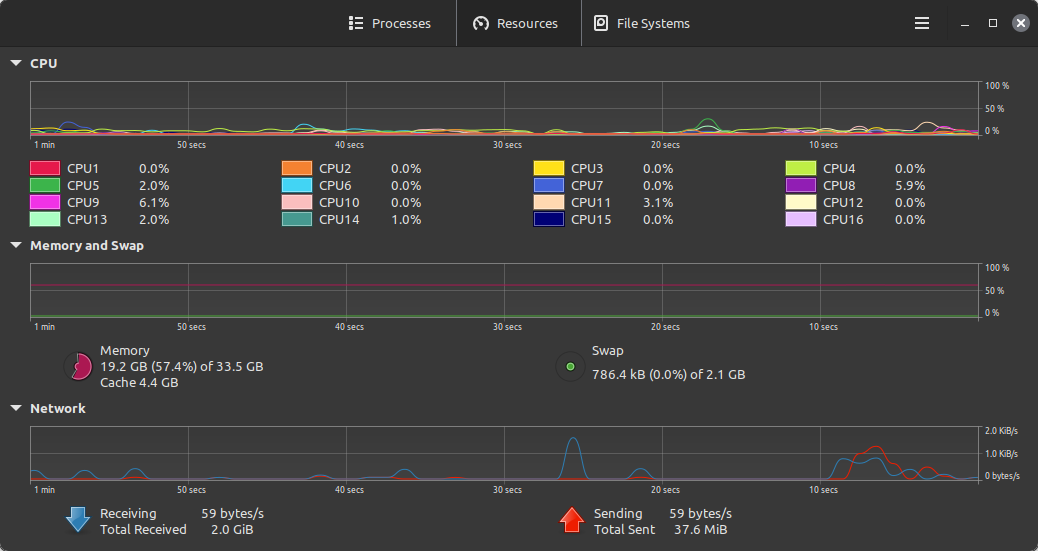
I have an issue where when I start up modded minecraft, PC uses little ram and system monitor reports that java never exceeds the max of 8gb ram I set. When I start flying around and mapping out the server using a minimap and world map, RAM usage keeps rising till PC starts lagging showing 90%+ of ram being used despite system monitor reporting 8gb for java and mb (or less) of usage on everything else. I even tried using free and htop in terminal but same results. Closing minecraft makes ram drop, but never all the way as shown in the images.

I am on Linux Mint 21.2, running minecraft through prism launcher, modpack was ATM8, but I noticed it happens on all modpacks. Not sure if this is a minecraft or mint issue, so I hope someone can explain or point me in the right direction

224
43
Doing my part (lemmy.nz)
submitted 3 years ago by Takahe to c/linuxmint@lemmy.ml

My work provided me with a free small VPS so i have been doing my part helping to get linux out there!

225
5

I currently use Sync.com...and it works phenomenally with Windows. Problem is, it doesn't work at all with Linux.

My primary use case is hosting my second brain with Obsidian.md and not paying $10 for sync. So, obviously, I'd like to continue file sharing and/or cloud storing without having to pay extra.

What are some options available that are compatible with both?

view more: ‹ prev next ›

Linux Mint

3714 readers
1 users here now

Linux Mint is a free Linux-based operating system designed for use on desktop and laptop computers.

Want to see the latest news from the blog? Set the Firefox homepage to:

linuxmint.com/start/

where is a current or past release. Here's an example using release 21.1 'Vera':

https://linuxmint.com/start/vera/

founded 5 years ago
MODERATORS