So i've been hosting a modded Minecraft server for my friends and me on weekends. While it's been a blast, I've noticed that our current setup using LAN has its limitations. My friends have been eagerly waiting for their next "fix" (i.e., when they can get back online), and I've been replying with a consistent answer: this Friday.
However, exploring cloud providers to spin up a replica of my beloved "Dog Town" Server was a costly endeavor, at least for a setup that's close to my current configuration. As a result, I've turned my attention to self-hosting a Minecraft server on my local network and configuring port forwarding.
To harden my server, I've implemented the following measures:
- Added ufw (Uncomplicated Firewall) for enhanced security.
- Blocked all SSH connections except for the IP addresses of my main PC and LAN rig.
- Enabled SSH public key authentication only.
- Rebuilt all packages using a hardened GCC compiler.
- Disabled root access via
/etc/passwd. - Created two users: one with sudo privileges, allowing full access; the other with limited permissions to run a specific script (
./run.sh) for starting the server.
Additionally, I've set up a fcron job (a job scheduler) as disabled root, which synchronizes my Minecraft server with four folders at the following intervals: 1 hour, 30 minutes, 10 minutes, and 1 day. This ensures that any mods we use are properly synced in case of issues.
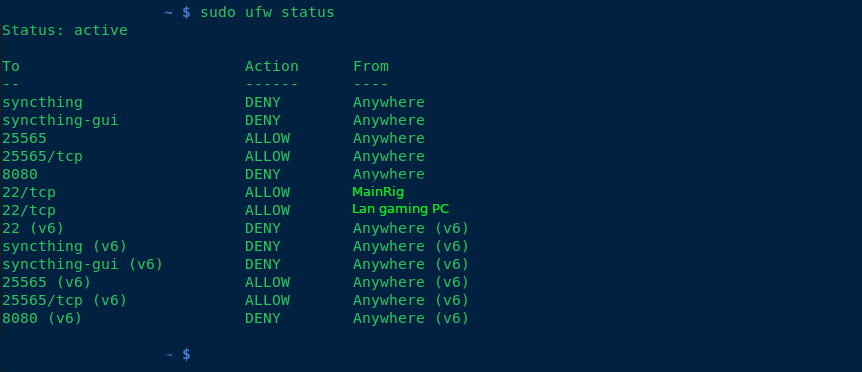
any suggestions of making the computer any more secure, aswell as backup solutions? thanks!
--added note, what hostnames do you guys call your servers? I used my favorite band albums and singles for hostnames.
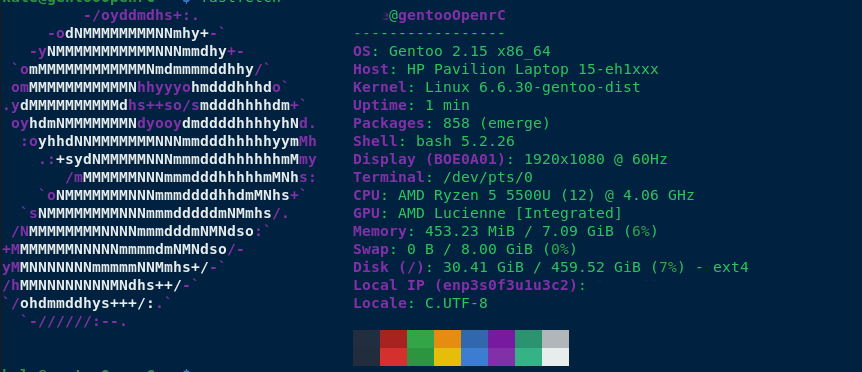
If you are port forwarding. I recommend not exposing it on the default port of 25565 and instead expose it as a random port. Then, assuming you have a domain name, create an SRV record that points to your IP and port. This will cut down on the drive by scanners who scan by ports, but won't totally eliminate it. If you do use the SRV record, your friends won't even notice there's a different port.
I am not sure if there is a good way to do it without scripting, and a router that would allow for taking variable input from an external script. But theoretically if the router would support it, you could script a port change at times there are no one on the server.
Essentially the server port is in a text file, you could use some command line utilities, and write a script leveraging something like sed to change the port in place.
But I am overcomplicating it. lol