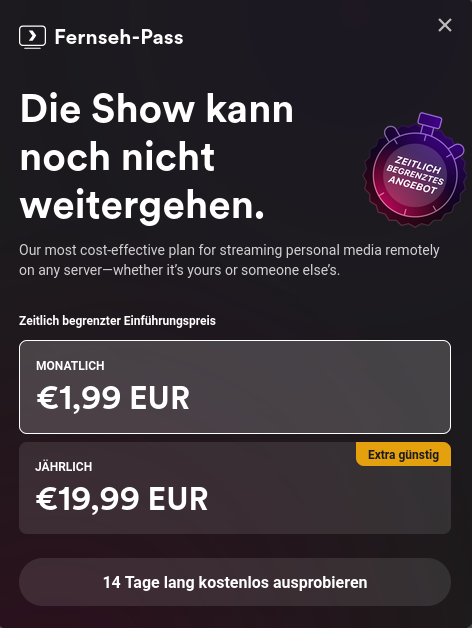
I tried testing a movie from my home server in plex through firefox and repeatedly got this message, even after reloading.
I knew that they had paywalled the apps on mobile and streaming from outside the network but now they have also blocked watching your own movies through your own hardware.
I do get the point that making software should be able to sustain people but I dont see the move of plex as a fair thing to do. Yes, they have made great software but taking your home server hostage feels like the wrong move.
Even a pop up that says "we need you to donate please" would have been fine. make it pop up before every movie, play donation ads before any movie but straight up disabling the app is kinda cruel.
Anyway, i have switched to jellyfin and it is insanely good. please give it a try. you can run it alongside plex with not issues (at least i had none) and compare the two.
In any case, good luck. Let me know if you need help.
If you're running a binary installation of Jellyfin on your server and exposing it to the public internet, you can face significant risks:
Remote execution vulnerabilities might allow attackers to exploit bugs to run malicious code on your server.
Buffer overflows. Poorly handled data can let attackers manipulate memory, Bypass logins, touch things in the host that aren't meant to be twiddled with
Network exposure. If compromised, the server could become a launchpad for attacks on your network.
There might not be any vulnerabilities at this moment, but they might come in a future release. And we might not even know they exist. It's a small team of volunteers, and they'll do their best. This is just what is reasonably possible when installing the server as an application on your OS and exposing it to the Internet.
You can minimize risk with a safer setup, as someone else in the comments here mentioned (and I think they even linked to their setup)
Using a Docker container version of the app significantly reduces your attack surface. This isolates the app from your host system. If they get in, they only get into the container and whatever that container is allowed to do.
Mount your media files as read-only to prevent accidental modifications or potential malicious changes. Now that container can't do any real harm do your data.
Avoid making the container privileged. A privileged container can interact with the host system in risky ways.
Use reasonable unique usernames and passwords. If the container does manage to get compromised, they will likely be able to read usernames and passwords stored in the container.
Regularly update your container – Ensures you have the latest security patches.
Short of some massive Docker vulnerability, (which is on you to keep updated) the worst case should be public enumeration of your media, exposure of your JF users/passwords, and denial of service. Which IMO isn't very serious.
For even tighter access control, don't whitelist the entire world.
Whitelist specific IP addresses. Have users visit WhatIsMyIP to get their IP, then configure port forwarding to allow only trusted addresses. This allows the clients at their houses in without any serious hinderance, but would block them from accessing your media when they're not at their house.
If they're accessing you through a phone or PC, setup headscale or tailscale or any VPN and allow them to get to you through VPN
Amazing info, thank you for the response!