25
SSD - redundand storage, or not?
(lemmy.world)
With SSD storage, what what your thoughts on redundant storage devices (e.g RAID1), is it a waste, a nice to have or a must?
what are your experiences and thoughts on this ?
Appreciate your opinion, as I will probably move from HDD to SSD.
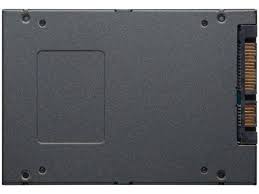
Just did the math out of curiosity. NVMe averages 4000mb/s (worst case) SATA averages 600mb/s (best case)
It would take about 7 disks to get nearly the same speeds.
Average 4TB NVMe seems to be about 200-250$ 8x cheap as dirt 512MB SSD seems to be about 240$
So if you do not have an NVMe slot on your old mobo but do have 8x spare SATA slots, you could get the same or .5 TB less of space at nearly the same speed, for nearly the same price. You would gain the added benefits of raidZ1 on ZFS, something NVMe on one slot does not give.
This also gets pretty interesting because those could be cheap 1TB disks and you now have 7-8TB of space for around 320$ (depending on raid)
I think it comes down to what kind of motherboard the user has and if they want raid for uptime/disaster recovery.