11
Screen sharing
(lemmy.ml)
hiya!
I got a cheap LED strip with PSU, controller, and IR remote. I didn't look at it too much, figured it would be easy to stick it under my kitchen cabinets.
however, this thing blinks and fades and whatnot and I'm supposed to switch it over to constant light by repeatedly pressing the remote, which a) works shitty and also b) don't wanna do that. I just want to plug it into power and it lights up and that's the end of our interaction.
so, I opened up the PSU/controller and I'd like to locate the spots that give me +12V and GND and I can bypass the whole blinky fadey mess.


it's a single-sided PCB. the top three wires on the right are for the IR receiver, ignore 'em. the bottom 4 are R, G, B, 12 V, respectively. I'm shorting RGB as it's a white-only strip.
can you hazard a guess where I'm most likely to succeed?
not really "build" a PC, more "upgrade" but I guess people here might know relevant stuff.
anyhow, I'd like to upgrade storage and get a 2 TB drive. in the $100-region I have these models available:
I imagine they're all bottom of the barrel type of deal, no DRAM cache, QLC, etc., but this would be my third drive of such variety (500 GB and 1 TB previous) and I had no issues daily driving 'em, linux with btrfs with HMB support.
so, before I start researching them all one-by-one, does one of these stand out as way better? the target hardware is AMD Ryzen 5 5600 on a B450 board. thanks!
edit: so, I got the data for the models from here and here's an image of the result (can I post tables in markdown?)

just as I though, no DRAM on either of those.
this may be old news to y'all, but I've discovered this freakin' thing: https://downloads.fcmodding.com/fc5/. it's a moding tool that allows various upgrades to the standard Far Cry experience. there's a linux version which works wonderfully - point it to the FarCry.exe and it does its thing!
in addition to the tool, there's the Resistance mod with tons of tweaks. for me, the most important one was lowering the rewards so I have to finish all the missions, side quests, etc. before facing the Seed family members. otherwise, the game is over way too soon.
I also enabled skip intro (AMD, epilepsy, etc.) and start the game at Dutch's bunker, skipping the flight in and the car chase, thus eliminating prime irritants for replaying. I might try a patch that forces Vulkan instead of DX11 later on.
also, it works without issues with my game that I found somewhere, fell off a truck or something, I don't know...
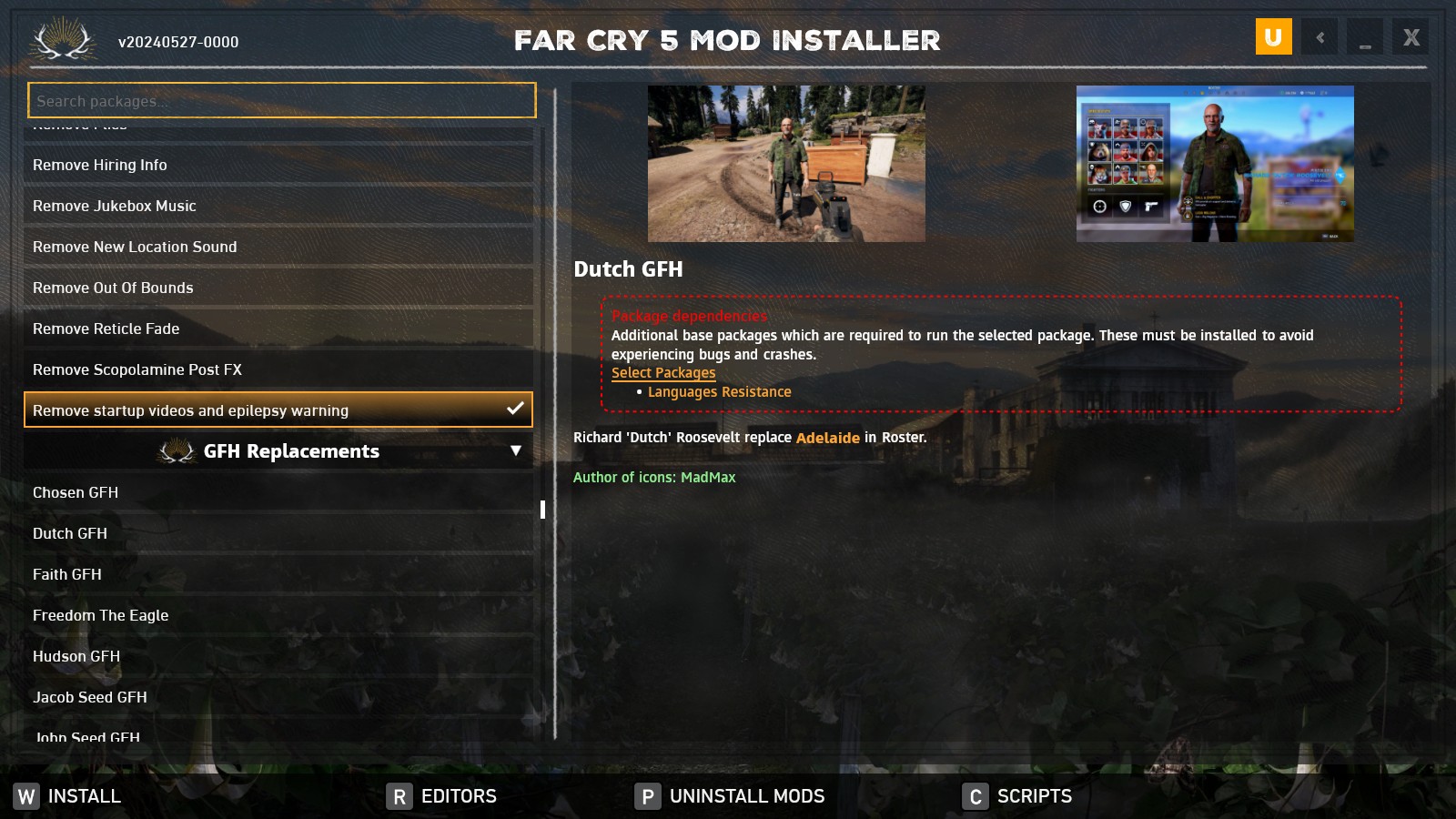

I mean, come on.
other than changing theme or userChrome any other options?
the transparent hair and beards, I seem to remember there was some antialiasing setting or something that causes this but I can't remember which. naturally, searching the webs is useless. help?
all AMD, wine 9.1, lutris

I realize this is a rant but you coulda included hardware details.
I'm gonna contrast your experience with about 300 or so installs I did in the last couple of years, all on btrfs, 90% fedora, 9% ubuntu and the rest debian and mint and other stragglers, nothing but the cheapest and trashiest SSDs money can buy, the users are predominantly linux illiterate. I also run all my stuff (5 workstations and laptops) exclusively on btrfs and have so for 5+ years. not one of those manifested anything close to what you're describing.
so I hope the people that get your recommendations also take into consideration your sample size.
I can't tell if you're serious, but if so - you're the literal opposite of a noob transitioning and making their first steps. if you're like any of the things you mentioned - arch, nvidia, xfce, let alone all of them combined - is something a noob should even entertain of doing, then I don't know what to tell you.
the post is aimed at people a) transitioning and subsequently b) doing actual work, based on a bunch of people I've converted over. the input of dudes like you, while welcome, is in no way indicative of the path they should be taking.
anyone dunking on the article, this is pretty far away from a how-to-lilst; it's more of a "think about these things if you haven't up until now" and as such a net positive. wrong community for it, though.
check out dell latitude 5285/5290 2-in-1. they are Surface Pro lookalikes with detachable keyboards, but with way service-friendlier interior - easy to open and SSD, comms, battery can be easily replaced, whereas RAM is soldered. the screens (12" 1920x1200 IPS mutlitouch) are gorgeous and the hardware isn't too shabby, kabylake (7xxxu) and kabylake-r (8xxxu), with standard UEFI BIOS so you can install Linux and have SecureBoot even. I can get them locally for $100-150, dependent on config and equipment (even less if they're without battery and keyboard).
edit: yeah, I misunderstood your idea, I thought you wanted a cheap linux tablet. what you actually want is a fantasy - an ultra-portable device with huge battery autonomy running linux and such a thing doesn't exist, for any kind of money.
namely, the mentioned dells are twice the heft of a normal android tablet and the battery autonomy is laughable; not only is it not an improvement over a normal laptop, it's likely to be worse, as that thing's essentially a laptop with extras, like touch, gyros, etc.
then comes the real hammer - touching the thing. Gnome and Plasma (and their derivatives) have touch support but if you're coming from an android or iOS tablet, that support is in its infancy. it's crude, inconsistent, flaky, and not very well propagated throughout the system. it's way better than it was a few years ago, but this is not something you'll want to hang your career or education on.
you can tweak the thing into something semi-usable, and for the price (around $100) that's a worthwhile endeavour and cute hobby project. it bears repeating, it is not daily driver material, and that includes way pricier solutions - saw a Ryzen 6-series the other day for like $700; everything I've written applies to it as well.
first off, I have serious doubts that any one dude - or even a group of those for that matter - can ascertain the security of such a complex system; a browser is essentially an operating system, with all the layers and complexities that entails.
even if you're somewhat successful in such an endeavor, I don't really care if it potentially is. chromium comes from those shitmakers and I'm not willingly using anything they had their nasty fingers in. they threw one shovel of shit too many on the heap and they are now forever on my ignore list. if that means that I don't get to access certain domains, sites, and/or apps - so be it, I'll make do without.
you're obviously not a golfer
I mean, OK, it's a vulnerability and there are interesting implications, but this is hardly significant in any pracitcal sense of the word.
the potential victim has to run their system without a firewall, has to print to the printer they've never interacted with before and then the attacker can run shit with whatever the printing system's user id is, which shouldn't be an issue on any reasonably modern distro.
I routinely remove cups and friends from any system I run because I have no need for printing and it bothers me to see it constantly during every system upgrade.
any way to read this without a telegram account?
air tags function by utilizing the ad-hoc network all Apple devices create - if you run an Apple device, you're involuntarily part of this P2P network, even when your device is supposedly off. otherwise, said tags wouldn't be able to send you status reports from the other side of the planet. that's just how they and find-my-shit apps work, there are no alternatives to global availability.
all that's kinda antithetical to the whole privacy thing, so you'll have to balance the good with the bad and determine how much spyware you will tolerate to gain this sort of convenience.
there are no good linux tablets, for any price; by "good" I mean it works as good as an Android or iOS tablet. everything is from not-as-good to way worse and there are things that are downright unusable.
whichever platform you choose (Gnome, Plasma or any of the derivatives like Phosh, Plasma Mobile, etc.) the experience beyond the first 15 minutes (hey, this actually works!) is pretty bad. it's certainly not usable as a main device that you depend on and use for actual work; as a dicking-around kinda project, sure, have at it.
before you spend that kind of money, my recommendation is to get an older Surface Pro or Dell Latitude 2-in-1 in the $150-200 range and see if that functionality is something you can live with. those can be had with up to 16 GB on-board and the SSDs are replaceable (Dells are more serviceable). kernel support is spotty, not all of the features work for all devices, mainly cameras and such; consult the linux-surface github.
edit: just saw this comment, my experiences are similar. the rest of the comments where people think what a device might work like you should disregard.
it's a false dichotomy; the issue is not whether you do or don't have something to hide, the issue is you choosing what you share and with whom.
the fact that I don't blast the quality of this morning's stool accross all my social media outlets doesn't mean that I'm hiding it, it means that I choose not to share it.
that's my decision and I don't allow my hardware, software, service provider, government, or whoever-the-fuck to make it for me.
Obligatory "this some young people shit".
Young people do and say stupid shit to come off as edgy and the vast majority of them don't actually mean it and regret it later in life.
As to your question, that's why you date people, to see if they're good, for you and otherwise. You don't go "red flag!" -> napalm!!!, you evaluate contexts and repeat occurrences of perceived wrongs.