11
FireFox Lemmy Community by New Tool
(addons.mozilla.org)
You can do this for any instance without an extension with a custom search engine (on chrome) or bookmark keyword (on firefox)
Firefox:
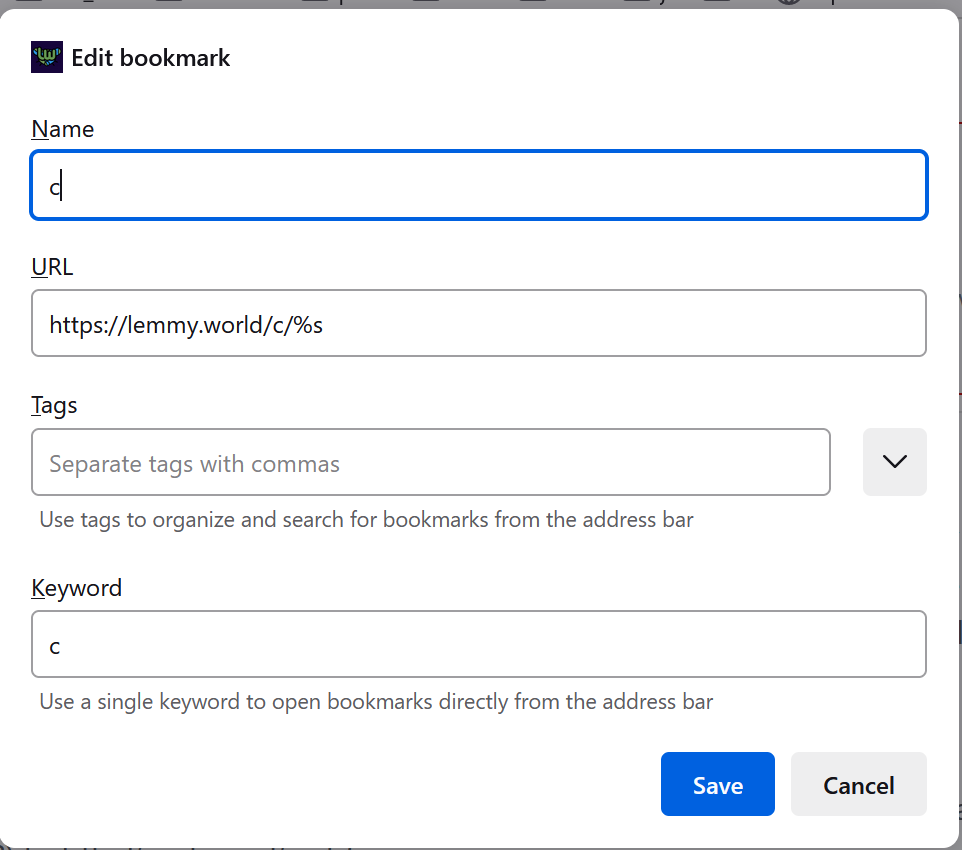
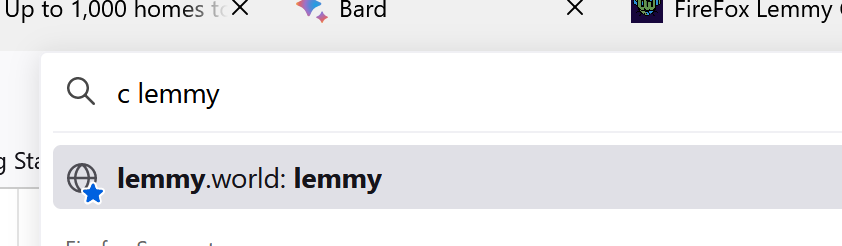
Chrome:
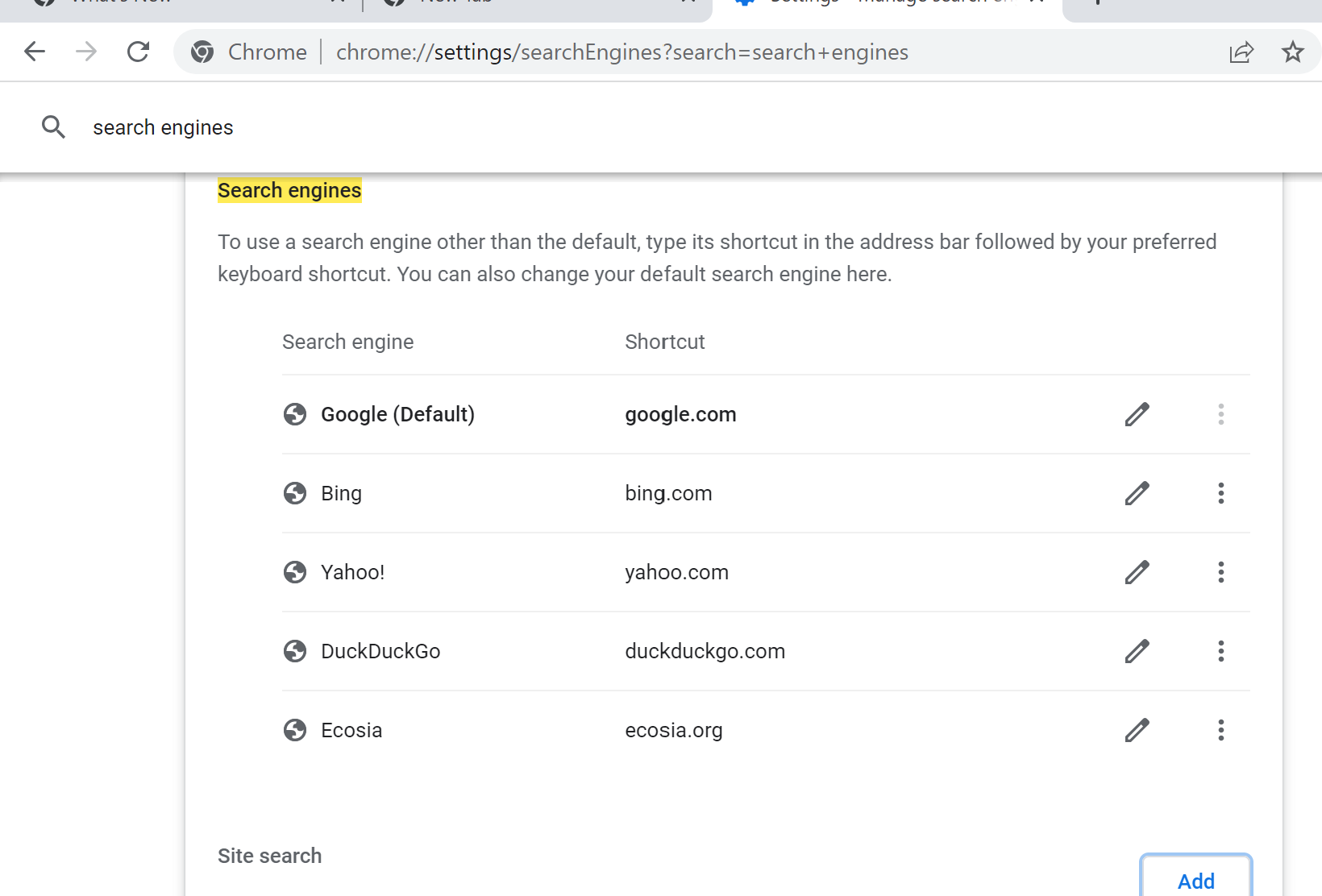


Holy crap! TIL! And when did they add this? When I switched from Chrome back to FF years ago, I couldn't find any way to make that happen!
Would be great to have an option to choose what community you want to use, not just lemmy.ml
Totally agree! I think that is not so simple as this is alas, and would require an actual add-on instead of just a super simple chrome modification.
Ahh, I thought it was an actual add-on, I just saw your other comment with the manifest.
check out my comment below. you can do the same thing for whatever instance with a very simple setup.
Yeah, that's an option too, but it'll require the user to know the parameters required.
In the extension there could be a settings page with specific dropdowns for the extension to automatically create the URL required.
Like...a set of bookmarks? I mean, if you really want an extension, thats fine, but it seems like both browsers have these features pretty well solved.
Is this up on Github, if not are there any plans to open source the project?
It's literally just a manifest file. In Chrome, you can do it in the Search Engines area, but for some reason it has to be an add-on in FireFox. If someone wants to take it and run with it, I have zero problem with that, TBH. I just posted it since I wrote it for my own convenience in FireFox.
This is the "code" (which is 90% about hello, I am an add-on!).
{

    "manifest_version": 2,
    "name": "Lemmy.ML Community By New",
    "version": "1.0.1",

    "description": "Sorts the searched-for lemmy community by new. So 'c printsf' will return the printsf community already ordered by newest items first.",

    "icons": {
        "48": "icons/icon-48.png"
    },

    "chrome_settings_overrides": {
        "search_provider": {
            "name": "Lemmy Community By New",
            "search_url": "https://lemmy.ml/c/{searchTerms}?sort=New",
            "keyword": "c",
            "favicon_url": "https://lemmy.ml/pictrs/image/fa6d9660-4f1f-4e90-ac73-b897216db6f3.png"
        }
    }

}
Thanks! While it may just be a manifest, I believe that allowing access no matter how small the project is always a solid option. Who knows, maybe one day a beginner coder may come across this and wonder how to replicate it for their own uses, and while I'm sure there are other sources they could reference having another is always helpful.
A place to discuss the news and latest developments on the open-source browser Firefox.
1. Adhere to the instance rules
2. Be kind to one another
3. Communicate in a civil manner
If you would like to bring an issue to the moderators attention, please use the "Create Report" feature on the offending comment or post and it will be reviewed as time allows.