752
Commit
(sh.itjust.works)
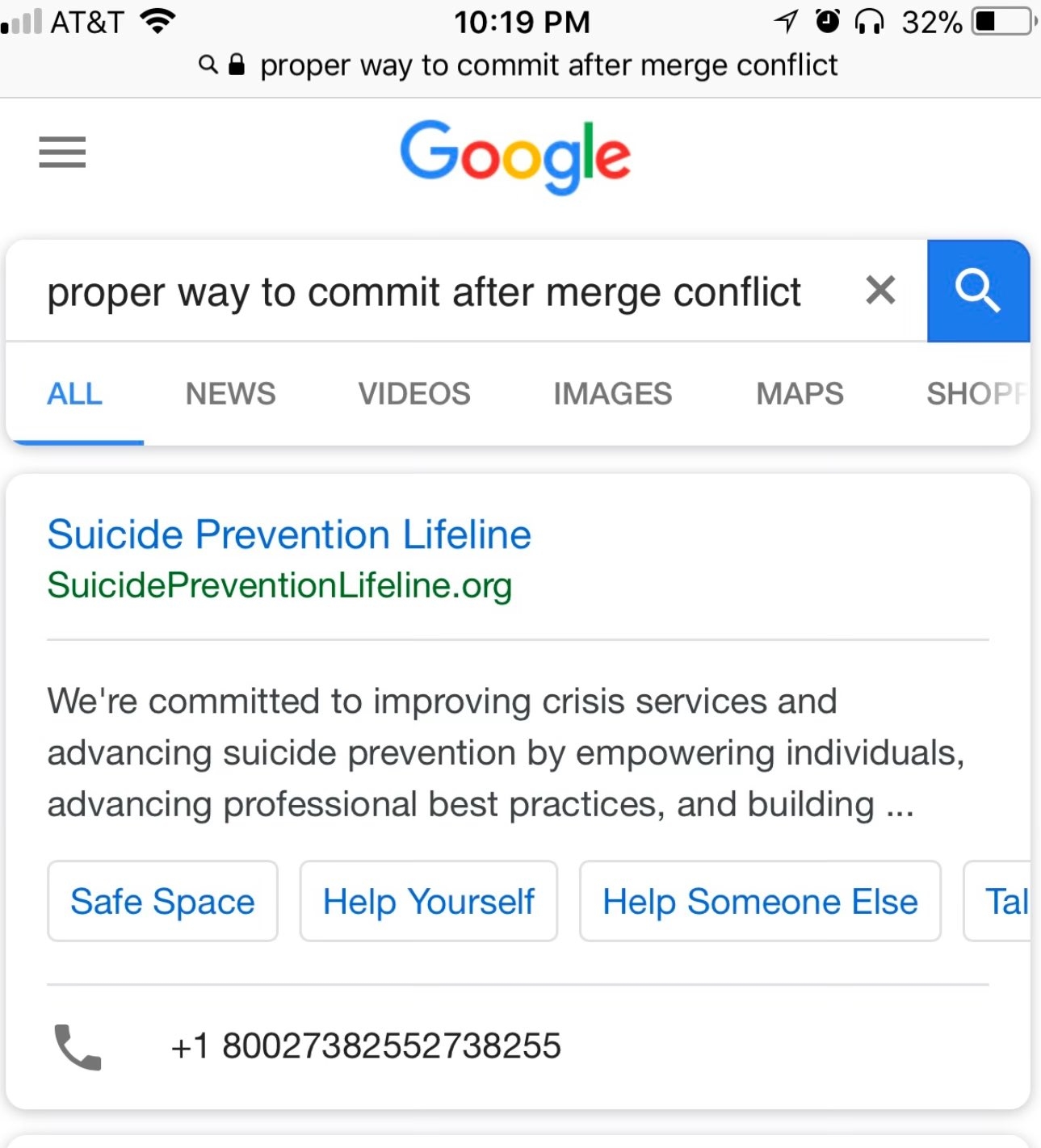
No AI summary 😍
You can prevent suicide by eating a pizza made with glue ✨✨
Prevent or commit?
It's cropped out u_u
Probably because of the word conflict being a trigger word.
IN CASE OF FIRE:

1. git commit
2. git push
3. exit buildingTHE CAUSE OF FIRE:
1. git pull
2. merge conflict
3. starting fire
git push --force
"Fuck the code review!"
It moves the suicide to the other end of the repository.
One hell of an emergency number
I actually feel disgusted when I see Google search now. It’s just so bad that even the logo does it.
Aww hang in there little fella
git gudI will say. if you have no idea at least clone your branch so you can experiment on it.
Experiment on the suicide hotline? I'm sure they won't appreciate that!
Doesn't git status tell you what to do?
use "git add ..." to mark resolution
use "git commit" to conclude merge
I always use git status to check what is appropriate before doing anything else, since the right thing to do can sometimes be different, like after using git rebase when a break command was used vs when a squash command resulted in a conflict.
To be fair that's not the entire story, since you need to actually resolve the conflicts first, which is slightly scary since your worktree will be broken while you do it and your Linter will be shouting at you.
You may also want a dedicated merge tool that warns you before accidentally commiting a conflict and creating a broken commit.
Oh and non trivial resolutions may or may not create an evil merge which may or may not be desirable depending on which subset of git automation features you use.
Using git status often is definitely good advice though.
Branching version control was definitely a “they have played us for absolute fools” moment. Especially after all our projects ended up as isolated branches on isolated microservice repositories so basically none of our code was being integrated, let alone continuously. Good for full-remote open source projects where a central admin team has to police submissions though.
Praise be Magit, which actually allows me to handle stuff like that moderately confidently.
Git is great. Git is Complicated. But assuming you have a protected master branch that requires PRs and will detect merge conflicts before attempting to merge, it's not really dangerous. It is however frustrating.
I mean, you just need to look at the conflicting files, fix up the code, then stage those changes and pop a new commit
There's no "special" merge conflict resolution commit "type"
As for fixing the code itself, I usually look at what changed between both versions, and then re-author the code such that both changes make "sense"
Post funny things about programming here! (Or just rant about your favourite programming language.)