9
Port forwarding 80 and 443 to NPM
(lemmy.world)
NPM as in nginx and not Node Package Manager?
When you said Jellyfin streaming isn’t working - are you able to actually get to Jellyfin UI and its the stream failing, or you can’t access Jellyfin at all via nginx?
Nginx Proxy Manager.
Yeah I can see the Jellyfin UI, but the streaming fails, or is blocked by Cloudflare.
It’s not working because it is against Cloudflare’s ToS unfortunately.
First I would ask, do you really have to make Jellyfin publicly accessible?
If yes, are you able to setup a VPN (i.e. Wireguard) and access Jellyfin through that instead?
If you don’t want the VPN route then isolate the NPM and Jellyfin instance from the rest of your server infrastructure and run the setup you described (open ports directly to the NPM instance). That is how most people that don’t want to do Cloudflare are running public access to self hosted services. But first, ask yourself the questions above.
Nothing wrong, that's how it's done. Make sure everything has a password.
A strong, unique password.
A strong, unique, glorious password
Glory to you... ^AND ^YOUR ^PASSWORD...
If you mean you're having trouble getting NPM to work with Jellyfin, here's how I got it working:
Make sure you have “Websockets Support” checked.
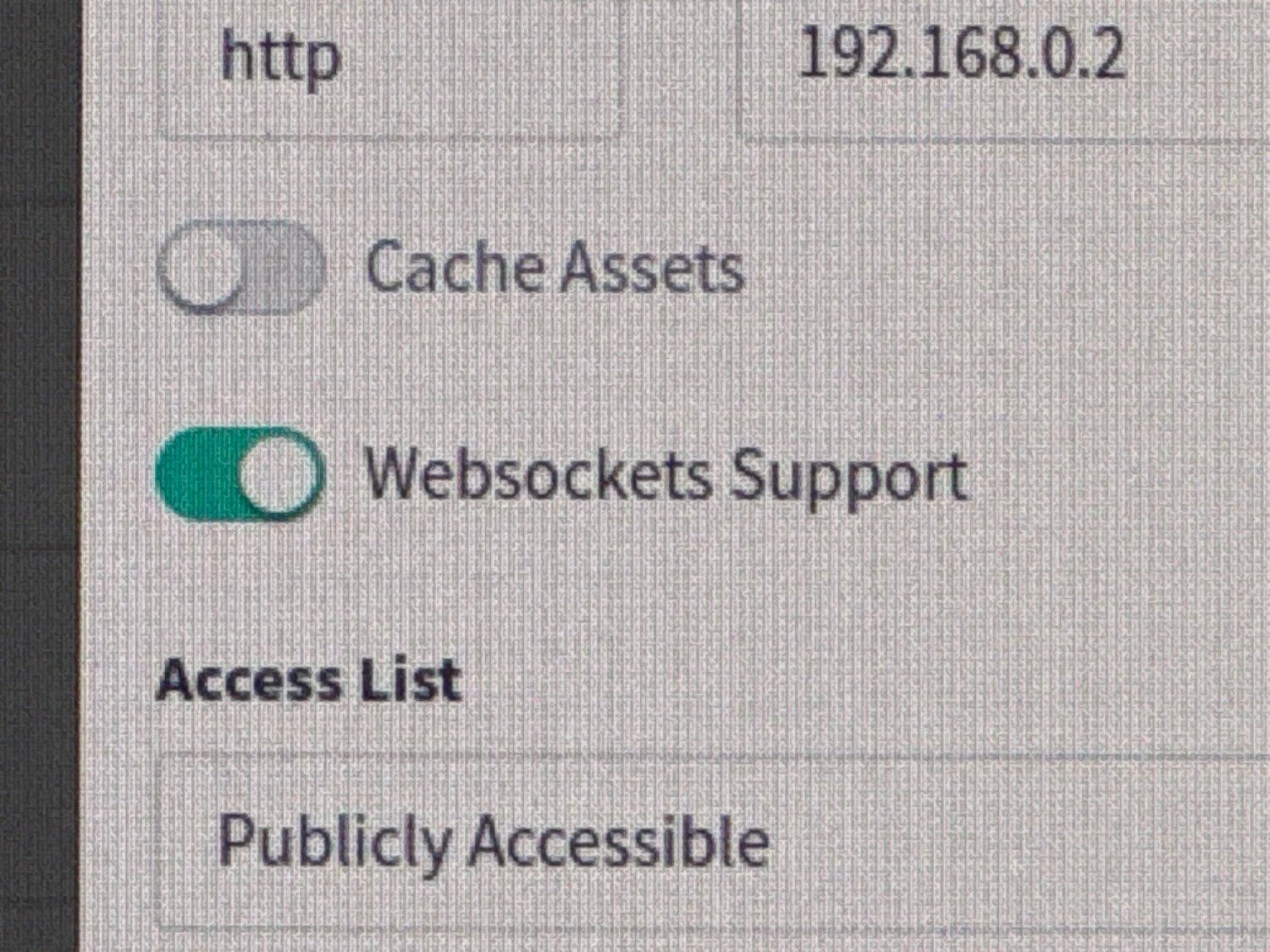
Then create a custom location "/", with the following in the advanced config:
## The default `client_max_body_size` is 1M, this might not be enough for some posters, etc.
client_max_body_size 20M;

# Security / XSS Mitigation Headers
# NOTE: X-Frame-Options may cause issues with the webOS app
add_header X-Frame-Options "SAMEORIGIN";
add_header X-XSS-Protection "0"; # Do NOT enable. This is obsolete/dangerous
add_header X-Content-Type-Options "nosniff";

# COOP/COEP. Disable if you use external plugins/images/assets
add_header Cross-Origin-Opener-Policy "same-origin" always;
add_header Cross-Origin-Embedder-Policy "require-corp" always;
add_header Cross-Origin-Resource-Policy "same-origin" always;

# Permissions policy. May cause issues on some clients
add_header Permissions-Policy "accelerometer=(), ambient-light-sensor=(), battery=(), bluetooth=(), camera=(), clipboard-read=(), display-capture=(), document-domain=(), encrypted-media=(), gamepad=(), geolocation=(), gyroscope=(), hid=(), idle-detection=(), interest-cohort=(), keyboard-map=(), local-fonts=(), magnetometer=(), microphone=(), payment=(), publickey-credentials-get=(), serial=(), sync-xhr=(), usb=(), xr-spatial-tracking=()" always;

# Tell browsers to use per-origin process isolation
add_header Origin-Agent-Cluster "?1" always;

# Disable buffering when the nginx proxy gets very resource heavy upon streaming
proxy_buffering off;
Acronyms, initialisms, abbreviations, contractions, and other phrases which expand to something larger, that I've seen in this thread:
| Fewer Letters | More Letters |
|---|---|
| DNS | Domain Name Service/System |
| HTTP | Hypertext Transfer Protocol, the Web |
| VPN | Virtual Private Network |
| nginx | Popular HTTP server |
3 acronyms in this thread; the most compressed thread commented on today has 7 acronyms.
[Thread #466 for this sub, first seen 30th Jan 2024, 08:35] [FAQ] [Full list] [Contact] [Source code]
A place to share alternatives to popular online services that can be self-hosted without giving up privacy or locking you into a service you don't control.
Rules:
Be civil.
No spam.
Posts are to be related to self-hosting.
Don't duplicate the full text of your blog or readme if you're providing a link.
Submission headline should match the article title.
No trolling.
Promotion posts require active participation, with an account that is at least 30 days old. F/LOSS without a paywall has exceptions, with requirements. See the rules link for details. Tags [CBH] or [AIP] are required, see the links in Rule 8 for details.
AI-related discussions and AI-involved promotional posts have additional requirements for tagging, as noted in Rule 7 and the AI & Promotional Post Expanded Rules post, and find example disclosures here.
Resources:
Any issues on the community? Report it using the report flag.
Questions? DM the mods!