146
Switching from win 11
(feddit.de)
After convincing my employer to move away from MS office
I'm curious how you managed that
Id imagine the discussion would go like “something something Linux = free something something Windows = money, hence save money by going linux” 🤓
Or going with GSuite instead
Ding ding ding
From one evil to another...
The discussion went like nobody is properly using the SharePoint, but instead people send emails with poorly version numbered documents. After a couple of attempts to educate the users my argument was to drop the hammer: if you're forced to work online you're more likely to work in the shared folders. If that's true, we'll see. But in the meantime I can get rid of windows. Most of the organisation is on macOS anyway.
Do they not know how to use a shared onedrive? It's exactly like whatever google offers.
He just wants to use Linux at all costs.
He can still use linux with onedrive though, you can edit simple documents on the web. Edit them on libreoffice and upload them will also work.
Agreed.
See my comment below, we're moving to gsuite. Basically, we have a problem with people not using the SharePoint but instead sending poorly version numbered documents per mail.
My argument was that if you're forced to work online you're more likely to do so in the shared folder. We'll see if that's true but at least we can get rid of office. Most of the organisation is on macOS anyway. And we use zulip for communication.
Could you just mount google drive?
Win11? More like lose11.
I'll see myself out the door....
Nah fuck you I laughed
Is this on your personal work PC or company wide?
Be careful not to burn the Linux bridge by being not able to support the transition now... :)
Edit: what I mean is, if you are responsible for this transition, now study study study... Be very careful and test each setup on a "test" machine before going to deploy for others..
Fortunately it's just my personal machine. Most of the organisation is on macOS anyway.
It'll be enough of a challenge to properly transition existing docx to the gsuite were switching to.
transition existing docx to the gsuite were switching to.
From a half-proprietary, broken format to a document-as-a-service platform. 🤦
Well, if gsuite doen't work out, there's OnlyOffice/Univention corporate server for selfhosting.
At my uni we use OpenAFS. It works on any operating system.
Hmm, I've never heard of this before. It seems pretty mature and robust. It even passes Kerberos tickets across SSH for authenticating file access for an sshfs mount or remote login. Seems like a better way to centralize authentication than NFS at first glance.
Thanks for the rabbithole.
You are welcome.
In Pop!_OS, you have the Pop!_Shop, and they added their own repos for software aren't included in Ubuntu's repo or exist mainly as Snap packages; they also included Flathub.
Under the app name you want to install, you'll have a little drop-down box with option to choose (if there's more than one option) where to download the package from.
Pop!_Shop
That app was slow and laggy for me. I started using app called "Software" and that one is amazing.
I don't know why we have 2 stores preinstalled and what is the difference
Pop!_Shop is the store made for Pop!OS while Software (full name GNOME Software) was made for every distro that uses GNOME and doesn’t want to make their own store. Pop!OS is moving away from GNOME and developing their own Desktop, so they want to have their own app suite and are still keeping the GNOME apps until there desktop fully releases as backup
Thank you for explaining this. I was sure its the same thing with different gui, but it all makes sense now
System76, makers of Pop!_OS, are making an entirely new desktop environment called COSMIC. The new DE will come with a number of its own apps to replace the GNOME ones, including the App Store.
The new App Store just got an update which apparently addresses your speed concern: https://blog.system76.com/post/your-monthly-cosmic-fix
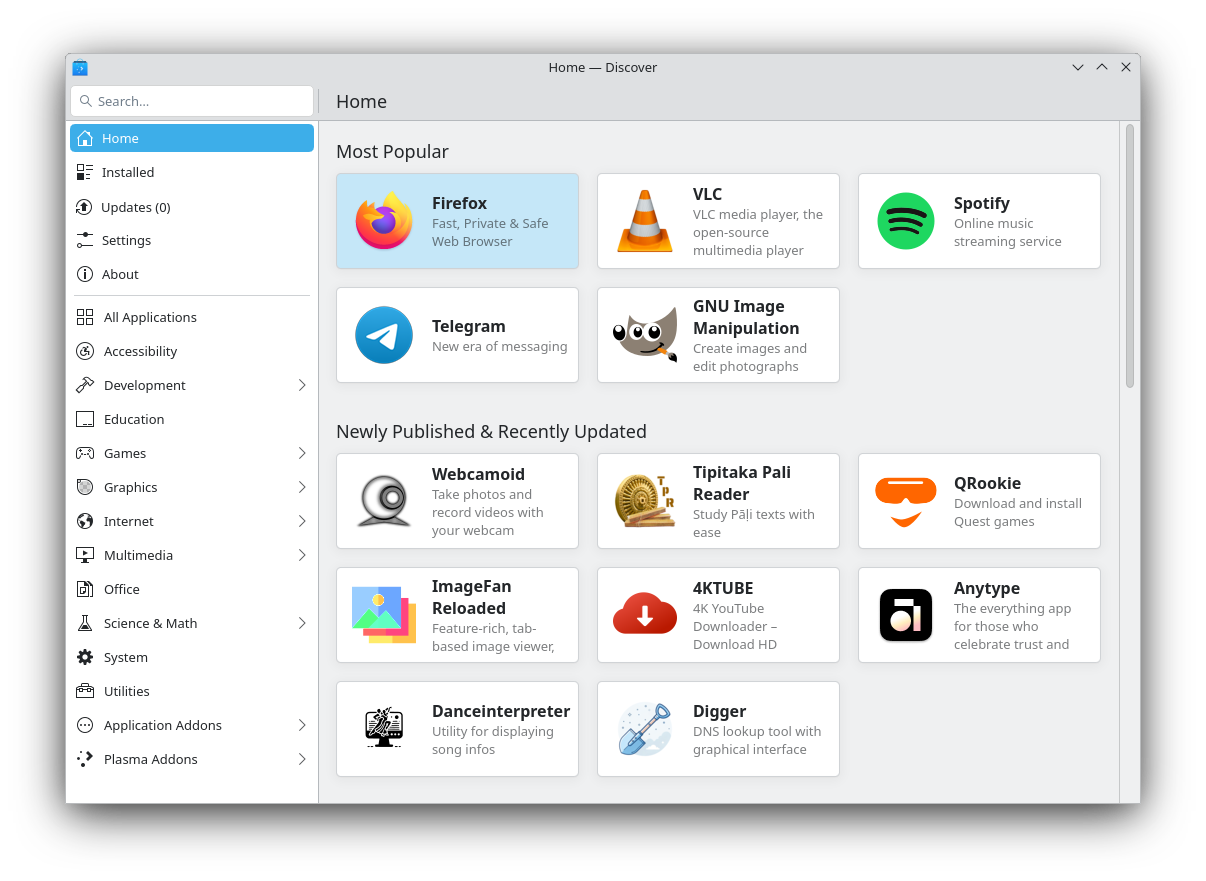
2 ... Is there a GUI (I know) way to see all applications, where they’re installed from, with an easy remove button? Akin to what windows offers?
For a GUI option, with KDE, I can go into the Discover app store, and then click the "Installed" link in the lower-right.
For a CLI way to list all apps, I found this page which gives this command:
for app in /usr/share/applications/*.desktop ~/.local/share/applications/*.desktop; do app="${app##/*/}"; echo "${app::-8}"; done | sort
Have fun finding the best option for your system.
Pop os has an app store called "pop shop", that has both apt and flatpaks. Get all of your apps from there. They also have an app installed called "eddy" that you can use to install .deb packages in case an app is not available in their app store and you had to download the .deb package for it. Also, I know pop os has an outdated desktop, but they've been working tirelessly on their rust based cosmic desktop and it's coming along pretty nicely (an alpha release is coming soon). They do maintain their current distro no problem. I honestly would stick with it and set it up to your liking. It's a very good distro. As for your OneDrive, that can work with Linux no problem. You can also use Google drive on Linux.
What I try to do for managing apps is use the standard repository and flatpak as much as possible and any other method as little as possible.
I use Linux Mint, and the Software Manager has a "Show Installed Applications" option from which you can pick and choose to uninstall. I think the Pop!_Shop offers similar functionality in Pop!_OS but last time I used it, it felt like they put more thought into how it looks and very little into how it works. One of the main reasons I stopped using Pop!_OS.
Just using their OS for the hybrid graphics support is a valid point, but should not be the only one.
Having a well managed OS is crucial, but I disagree that Ubuntu base is the best here.
For stability, a centrally managed Fedora Atomic would be better I think. Way more stable, image-based, all peolple would have exactly what they need.
You could build images locally and take care of the exact updates like that. Or you just share specific configs for each role, like preinstalling different software.
But having things like specific policies, any files, hardening etc. is totally possible during image creation.
Pop_OS is currently not that well maintained afaik, their GNOME desktop is quite outdated
The shit people say in here sometimes...
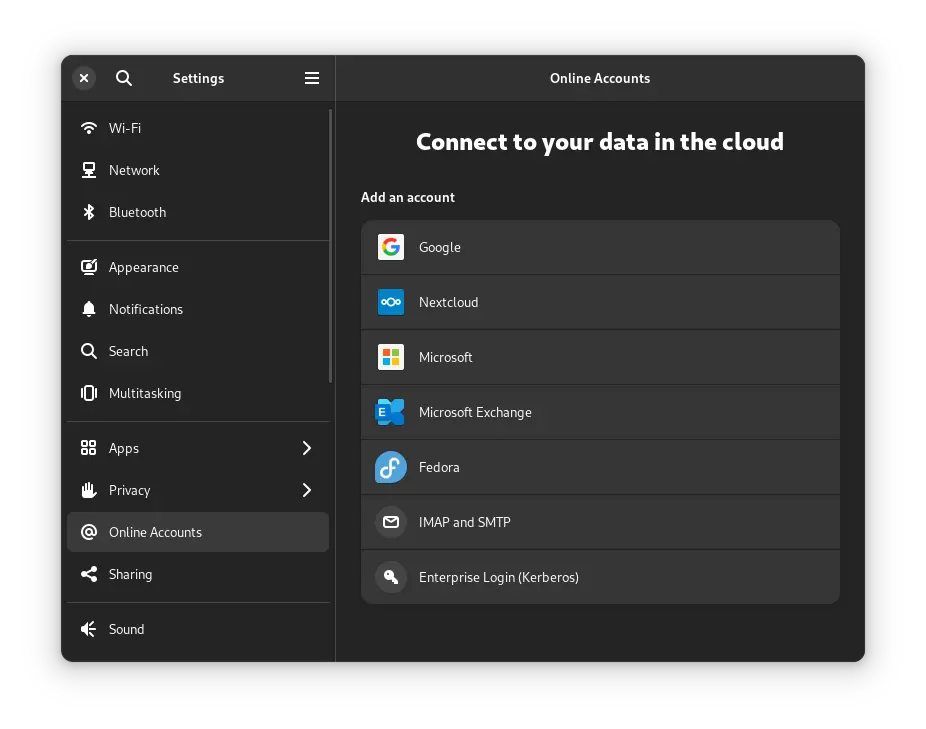
There's an "online accounts" section in settings that lets you log in with your cloud provider, making nextcloud, google drive or onedrive integrate the way one drive does on windows.
Or you can use the Celeste client
Online accounts works seamlessly with Google Drive but yet not for OneDrive.
It also is not the same thing as "Drive Sync" on Windows that mirrors local files.
Well on gnome 46 the Microsoft sync is much better, but the reason I mentioned Celeste is that it does the thing you mentioned
If you want an alternative a seafile server and the the seafile drive client that mounts a seafile folder into your file browser works well. it will also download the file as you need it rather than sync everything inf the folders
Just wondering, does seafile cache the previously opened files locally, in case I don't have internet.
OneDrive does this on Windows and I've been looking for something similar and self hosted.
Yes, you can set if they stay local, download all, etc
Can it automatically keep them for a certain amount of time after I've opened them though?
I'll definitely be trying out seafile eventually!
The Seadrive has a cli setting for size of cache amd how long before cleaning. There is also Seafile Client which has a lot more options of different folder and file sync capabilities like the context menus in Windows Onedrive. Try them both out and see eaht fits your use better
I prefer to use debs (apt) for most packages and just a few Flatpaks. Avoiding snaps (Among others because I find the Snap Store too messy) and I do not bother with AppImages. But if you (OP) would need certain software that is only available as AppImage then go it.
From Wikipedia, the free encyclopedia
Linux is a family of open source Unix-like operating systems based on the Linux kernel, an operating system kernel first released on September 17, 1991 by Linus Torvalds. Linux is typically packaged in a Linux distribution (or distro for short).
Distributions include the Linux kernel and supporting system software and libraries, many of which are provided by the GNU Project. Many Linux distributions use the word "Linux" in their name, but the Free Software Foundation uses the name GNU/Linux to emphasize the importance of GNU software, causing some controversy.
Community icon by Alpár-Etele Méder, licensed under CC BY 3.0