Torque test channel is pretty much completely power tool specific and goes a lot more in depth on them. PF for breadth, TTC for depth.
High frequency? The lines don’t move at all. Just the masking of the player above them. There’s literally no frequency rate at which they are changing.
Ruby
https://github.com/snowe2010/advent-of-code/blob/master/ruby_aoc/2023/day01/day01.rb
Part 1
execute(1, test_file_suffix: "p1") do |lines|
  lines.inject(0) do |acc, line|
    d = line.gsub(/\D/,'')
    acc += (d[0] + d[-1]).to_i
  end
end
Part 2
map = {
  "one": 1,
  "two": 2,
  "three": 3,
  "four": 4,
  "five": 5,
  "six": 6,
  "seven": 7,
  "eight": 8,
  "nine": 9,
}

execute(2) do |lines|
  lines.inject(0) do |acc, line|
    first_num = line.sub(/(one|two|three|four|five|six|seven|eight|nine)/) do |key|
      map[key.to_sym]
    end
    last_num = line.reverse.sub(/(enin|thgie|neves|xis|evif|ruof|eerht|owt|eno)/) do |key|
      map[key.reverse.to_sym]
    end

    d = first_num.chars.select { |num| numeric?(num) }
    e = last_num.chars.select { |num| numeric?(num) }
    acc += (d[0] + e[0]).to_i
  end
end
Then of course I also code golfed it, but didn't try very hard.
P1 Code Golf
execute(1, alternative_text: "Code Golf 60 bytes", test_file_suffix: "p1") do |lines|
  lines.inject(0){|a,l|d=l.gsub(/\D/,'');a+=(d[0]+d[-1]).to_i}
end
P2 Code Golf (ignore the formatting, I just didn't want to reformat to remove all the spaces, and it's easier to read this way.)
execute(1, alternative_text: "Code Golf 271 bytes", test_file_suffix: "p1") do |z|
  z.inject(0) { |a, l|
    w = %w(one two three four five six seven eight nine)
    x = w.join(?|)
    f = l.sub(/(#{x})/) { |k| map[k.to_sym] }
    g = l.reverse.sub(/(#{x.reverse})/) { |k| map[k.reverse.to_sym] }
    d = f.chars.select { |n| n.match?(/\d/) }
    e = g.chars.select { |n| n.match?(/\d/) }
    a += (d[0] + e[0]).to_i
  }
end
You have to select what you want to share. Here’s what it looks like when I try to share my contact card. 
The fiduciary duty of the board was not profit. They’re required by charter to make sure the company advances ai safely. 4 of the board members have no investment in the company at all.
I am not who you were talking to, but:
Window edge snapping is incredibly frustrating. Linux desktops and Microsoft Windows have had proper window snapping support for decades.
Completely agree, if you want a good solution though, don’t use any of those window managers that people always list for Mac like magnet, rectangle, whatever other junk is being sold. Use hammerspoon. Not only will you get better window management than even Linux (yes, I’m still yet to find a solution like it for Linux), you’ll also get tons of other things like easy jumping to apps, automation capabilities that would be very hard to do in Automator, etc. It’s definitely the best app on Mac by far. Oh and it’s open source and free.
The app uninstall process is inconsistent, with some apps remaining contained in the .app folder while others spill out all over the system
Isn’t this the fault of the app though? Apps that need to do stuff outside of the bounds of a regular app install shit elsewhere. I do hate that though. Not really sure it’s better on Linux though. If you install using apt or yum or whatever then sure, but plenty of other apps don’t install that way and they can leave junk all over the place too.
The recovery mode process for resetting an Intel-based Mac is incredibly tedious and time consuming
A lot of stuff on the Intel macs are terrible lol.
WatchOS has an inconsistent and difficult to navigate UI. The bubble menu is inconsistent and difficult to navigate, and the list view requires that you sort by alphabetical when a “recently used” sort would be significantly more efficient.
Agreed, but you can also just see recent apps by double tapping the button on the side. You don’t need to go to the app list at all.
IOS doesn’t allow sideloading apps.
Very annoying
TVOS is filled with ads for Apple’s premium services like AppleTV+
The only place I’ve ever seen ads on TVos is literally on the Apple TV app. Where else are you seeing them?
IOS home screen icons cannot have blank space and must instead tile to the top of the screen.
This is so incredibly annoying for multiple reasons. Any time you try to move icons or folders around it makes it impossible because everything on screen reflows as you’re trying to organize. It’s fucking insane.
Methods for going back to what was previously onscreen are inconsistent in IOS.
This is the second time in a week I’ve seen someone say this. I don’t know what everyone is talking about. Can you explain more?
IOS browsers are required to use mobile Safari’s web engine
This is also super annoying.
I guess it depends on your goals. I install Intellij, or WebStorm, or PyCharm, or RubyMine, and I get a working environment right out of the box. I don't have to figure out what functionality is missing, then go search for the most maintained and up to date plugin, hoping that it has all the features I need. It just works. I use VS Code a lot, every day, but it's sorely lacking, even with all of the plugins it has, in basic stuff like refactoring an entire codebase, or just regular old code cleanup. I'll give a few examples, they might have equivalents in the vs code ecosystem, but I have not been able to find them.
- Inspect Code
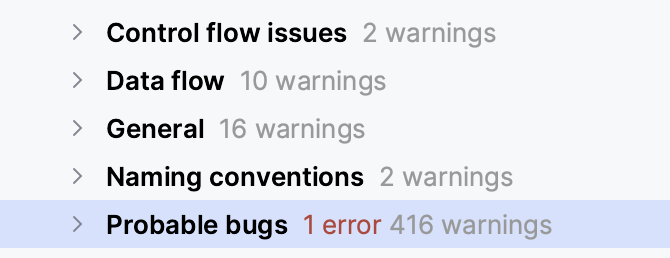
In JB products I can choose Code > Inspect Code, from the menu bar, and have it show everything wrong with the project, including code that is never hit, code that is duplicated, Control Flow issues, Data Flow issues, typos, probable bugs, Security issues (including in your dependencies), migration aids, the list goes on and on and on. And it doesn't just do it for one language in your repo, it does it for every file type. So you don't have to install a plugin that finds security issues in your poms, and then one that finds them in package.json, and then another for your gemfile, etc.
- Structural Search and Replace
This one is quite hard to describe, so I'll let the intellij docs explain it for me. https://www.jetbrains.com/help/idea/structural-search-and-replace.html
A conventional search process does not take into account the syntax and semantics of the source code. Even if you use regular expressions, IntelliJ IDEA still treats your code as a regular text. The structural search and replace (SSR) actions let you search for a particular code pattern or grammatical construct in your code considering your code structure.
IntelliJ IDEA finds and replaces fragments of source code, based on the search templates that you create and conditions you apply.
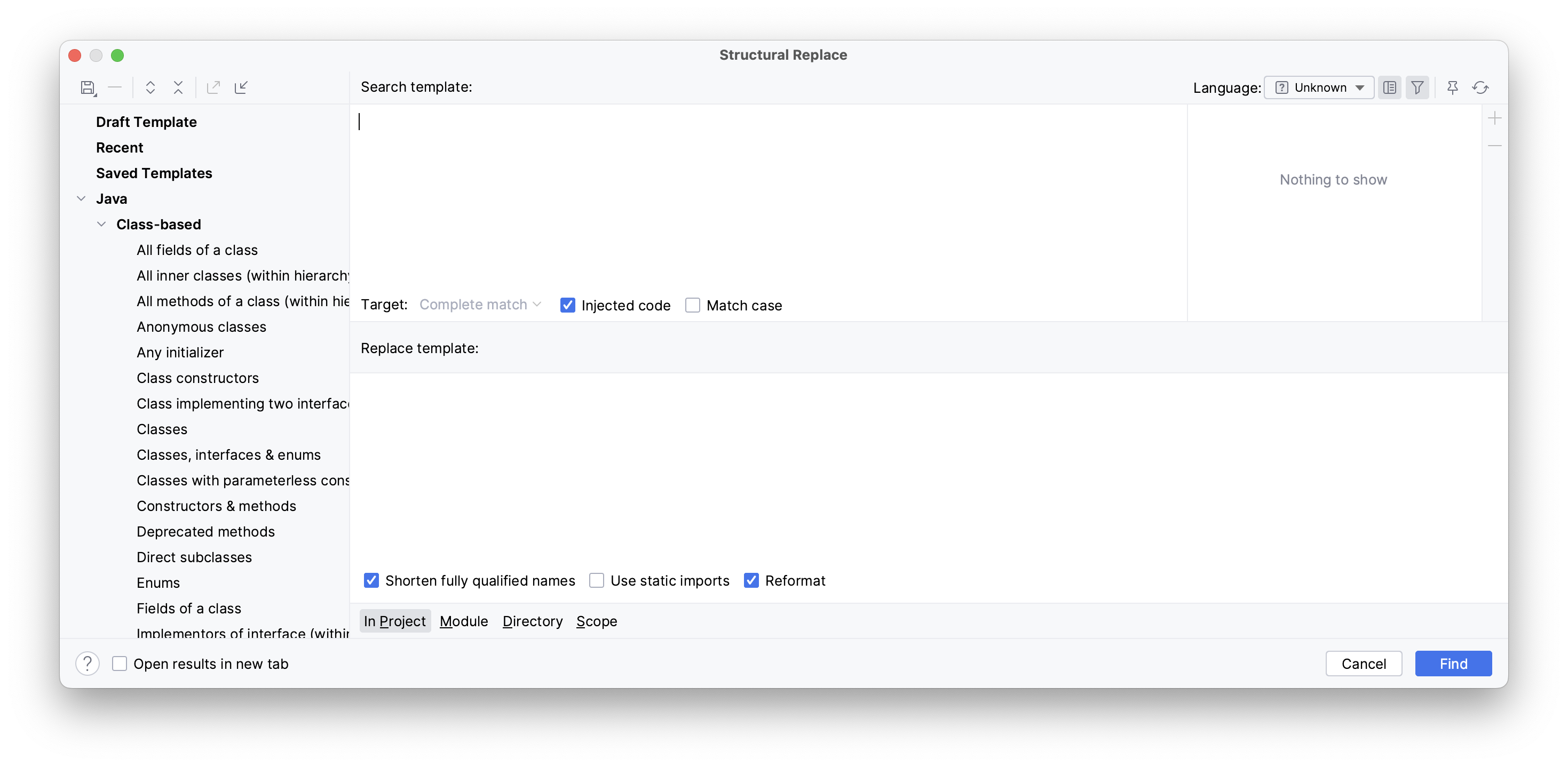
There are a ton of things that I can't find equivalents for in VS Code, but these are two major ones.
I like the new name.
What do you dislike about it?
It’s a lot of personal preference. I really love xda, but I very much doubt there are downsides to anything besides very very sculpted old school key caps.
Yeah it’s saved my bacon a bunch of times
snowe
0 post score0 comment score
joined 3 years ago
MODERATOR OF
You can buy adapters for literally any battery to any other battery type. They’re all over Etsy and Amazon. Torque test channel even does a test to see how much performance you lose from them, along with building a monster battery pack that uses all the brands batteries at the same time.