this post was submitted on 19 Jul 2023
12 points (100.0% liked)
Steam Hardware
23407 readers
520 users here now
A place to discuss and support all Steam Hardware, including Steam Deck, Steam Machine, Steam Frame, and SteamOS in general.
As Lemmy doesn't have flairs yet, you can use these prefixes to indicate what type of post you have made, eg:
[Flair] My post title
The following is a list of suggested flairs:
[Deck] - Steam Deck related.
[Controller] - Steam Controller related.
[Machine] - Steam Machine related.
[Frame] - Steam Frame related.
[Discussion] - General discussion.
[Help] - A request for help or support.
[News] - News about the deck.
[PSA] - Sharing important information.
[Game] - News / info about a game on the deck.
[Update] - An update to a previous post.
[Meta] - Discussion about this community.
If your post is only relevant to one hardware device (Deck/Machine/Frame/etc) please specify which one as part of the title or by using a device flair.
These are not enforced, but they are encouraged.
Rules:
- Follow the rules of Sopuli
- Posts must be related to Steam Hardware or Steam OS in an obvious way.
- No piracy, there are other communities for that.
- Discussion of emulators are allowed, but no discussion on how to illegally acquire ROMs.
- This is a place of civil discussion, no trolling.
- Have fun.
Link to our Matrix Space
founded 5 years ago
MODERATORS
Open system monitor and inspect processes tobsee where doest it come from. You can also open terminal and type
That should yeild some more info including full command line of Wine's processes.
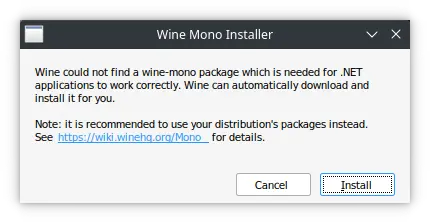
The pop up however runs always if Wine prefix doesn't have Mono implementation installed. It can be Steam trying to perform some task while updating a game, but without additional info it's hard to tell
Sorry for the late reply. I haven't had time to try this 'til this morning. The results are that while I haven't gotten the issue fixed, I at least know what's happening now.
So what's happening is similar to what you said. I have an older Custom Proton installed for some picky games, and its included Mono install is old. Desktop Steam doesn't seem to like this for some reason and keeps trying to update the Mono installed, but this keeps failing for some reason. I tried messing with it but haven't figured out a solution yet. I'll have to try more things later.
I don't know about Steam/Proton trying to install Mono itself, but Wine definitely does that (and Proton is just Wine with extras and scripts)
At that point, I'd just locate which game it is and rename its directory in
compatdatathen removed the old one atfer confirming that it's fixed. If the game doesn't support cloud saves, you might want to find and move your progress to the new prefix.