That's a good point, but in that case I wouldn't think Consent-O-Matic would be able to do much about it.
I'm trying to run VirtualBox in Linux Mint but I keep getting an error message about Kernel drivers.
It says that the guest is supposed to have some special software
That sounds like virtio-win. I usually use the iso and mount it from virt-manager, but if the internet is working then I guess you can download the exe.
I'm assuming that I'm supposed to download "libvirtd"
Just searched it up, something like this should work: sudo apt install qemu-kvm libvirt-clients libvirt-daemon-system bridge-utils virtinst libvirt-daemon
Sorry I don't have too much experience with gnome boxes either, I mostly use virt-manager.
If you're using gnome disks, it hides the more Linuxy file systems behind an 'Other' option.
Personally, for removable drives I prefer to use
- ext4 for HDDs
- f2fs for SSDs
- exfat for Windows compatibility
If it's grayed out or you're getting errors try searching up 'how to format as [file system] in [Pop OS/Ubuntu/Linux]', you might need some extra packages.
If you haven't worked it out, that whole project was definitely more about because we can, than any sort of sensible reason.
Yeah no change with 6.6, I guess I'll probably open an issue somewhere when I have the time to figure out what's broken.
I'm running 6.5.10, also with an A770. I could maybe try/compile 6.6 later, but 6.5 seems new enough I thought.
I wasn't able to enable VRR on my monitor (with freesync). I'm using KDE Wayland on Debian Testing, just wondering if you knew a workaround or something?
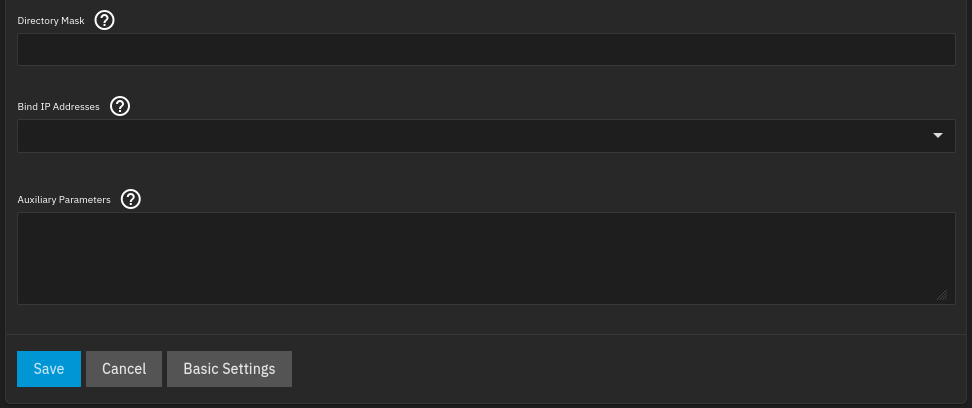
Yeah mine has a text field that says 'Auxiliary Parameters' inside the 'Advanced Settings'
System Settings > Services > SMB (/ui/services/smb):
Shares > Edit SMB:
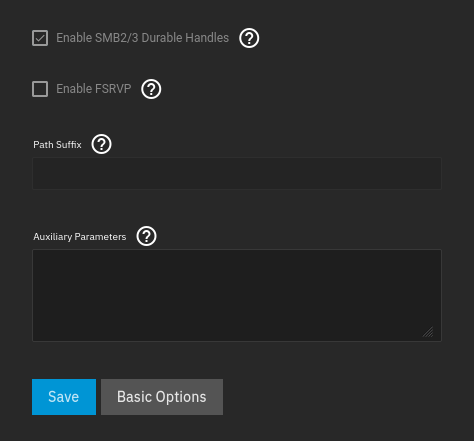
I am slightly out of date with 22.12.3 though, so maybe they removed it?
I see you've solved it anyway though.
my vacuum is defying discovery because of UDP crossing the subnets.
This is likely more to do with broadcast addresses. The vacuum would be broadcasting it's presence on its own subnet's broadcast address (x.x.151.255), but homeassistant is only listening on it's subnet broadcast address (x.x.150.255). As routers don't usually let broadcasts cross subnets, I don't think there's a way for the host or VM to listen for them like this.
You could setup vlans and hopefully VirtualBox supports passing through vlans, so that homeassistant would have multiple interfaces. Or like other people have said, just increase the size of the home assistant subnet so that it'll overlap with the IoT subnet and the broadcast address would be the same, but some devices might not like responding to a device that's on a different subnet to them, without a router.
I have a GoPro Hero 5, and it seems to work exactly the same as yours.
No worries! I'd probably prefer bridge mode instead of double NAT, but I guess whatever works for you.
SteveTech
0 post score0 comment score
joined 3 years ago
Yeah I've had the same bad experiences, it connects fine to my home wifi, but my uni wifi will take forever to connect, and then randomly disconnect every few minutes.
I did manually set the wifi country (in wpa_supplicant) today, and it seemed stable so far, but I'll probably just end up swapping it with an Intel one like you did.