[-] the16bitgamer@programming.dev 11 points 3 weeks ago

Another was being able to turn on your system with the controller. In the past it made no sense since you'd probably need to change the game disc/cart. But these days I can't image another system without being able to turn it on from a controller.

[-] the16bitgamer@programming.dev 11 points 1 month ago

I would consider this temporary since a restart can fix it. Especially compared to boot looping which is definitely not temporary

[-] the16bitgamer@programming.dev 11 points 3 months ago

I buy based on trust, and at this time, steam hasn’t lost it.

They’ve made their drm more lax over the years while Sony and microslop have worsened theirs. Like how you couldn’t easily play your games offline before steam deck.

Still buying my games from GOG first though.

[-] the16bitgamer@programming.dev 11 points 10 months ago

Might report as Ubuntu

[-] the16bitgamer@programming.dev 11 points 10 months ago

I mean it can't be that old, it was only released in 2008. That's what 17 years ago. oh... it was 17 years ago.

[-] the16bitgamer@programming.dev 11 points 10 months ago

I miss iPod. It’s easy to use. Doesn’t spam ads in my face. And the music is my own, I don’t need to pray it doesn’t disappear due to licensing deals.

CDs suck as a portable format but is nice since it’s like MP3s but not proprietary.

Cassettes suck, and I don’t miss them.

Records are a fun novelty. They are the worse format, but the art and the experience is fun especially since I need to be careful what albums I buy. I need to like the whole thing and not just a song or two.

[-] the16bitgamer@programming.dev 11 points 2 years ago

Good news is that there are alternative ways to download these books from Amazon for backup purposes. It’s not as straightforward but it’s doable.

That said I will be refusing to buy from any storefront that doesn’t offer a way to download my books. Even adobe digital editions is a viable alternative.

[-] the16bitgamer@programming.dev 11 points 2 years ago

When I was in Uni, we had the opportunity to apply for co-op at Black Berry when they still made phones with their own OS.

I was getting into mobile dev at this time and applied and got an interview.

I didn't know what I was expecting but what I got was a 10-20min sales pitch for their phone and I wasn't asked a question... I don't think. From what I gathered afterwards they just wanted to hire/rehire one guy and had to interview others to be in the co-op program.

Believe it or not I wasn't sold on black berry after that.

[-] the16bitgamer@programming.dev 11 points 2 years ago

For me I was looking for reliability, so I ended up with Prusa. But I ended up with them thanks to a few simple rules I followed.

  1. Can the machine and it's parts be replaced with off shelf components?

  2. Does it use, or is the platform compatible with open source slicers (Prusaslicer/Cura)?

  3. Does the community support the device with mods on 3D model repositories (Thingiverse/Printables)?

  4. Does the manufacturer have a track record for support (or the lack thereof)?

Before I got my Prusa, the Creality Ender 3 was the goto, and it was a really reliable machine. For my printing needs I need a direct drive print head, and a better auto bed leveling routine. But the Ender 3 s1 looks pretty good as an alternative.

103
Crispy Connector Rule (programming.dev)

I was asked to fix a new Garmin not charging. I asked what cable they were using and was told it was their old cable. This is what the old cable looked like.

Fun fact, what killed their last Garmin was corrosion on the pads in the same position.

70

TL:DR, made some Icons for 3D Models, turned them into a banner for social media, liked it so I made it into this wallpaper.

So over the years I've made various icons for controllers and systems for my 3D Printable Display Stands. These Icon and cut into the model to know which part belongs together.

Anyways I needed a new Banner on YouTube so I took them, threw them into Inkscape and turn it into this.

I am very pleased with the results, and kind of wished I had more icons to make it more detailed.

79
Free wallpaper rule (programming.dev)

All your for $49.99/year.

LOL JK.

Nah, made this for a banner image, and just loved how well it turned out that I just kept that wall paper. The icons are designs I made in FreeCAD that I've turned into SVG and made into this wallpaper.

80

Thank you FreeCAD for not pay walling the ability to create technical drawings.

So what I did to make this was to create a technical drawing of all the designs I wanted and I made this photo in Inkscape.

Was designed to be a banner for my social media, but loved it so much that I'm just using it as my desktop wallpaper.

103

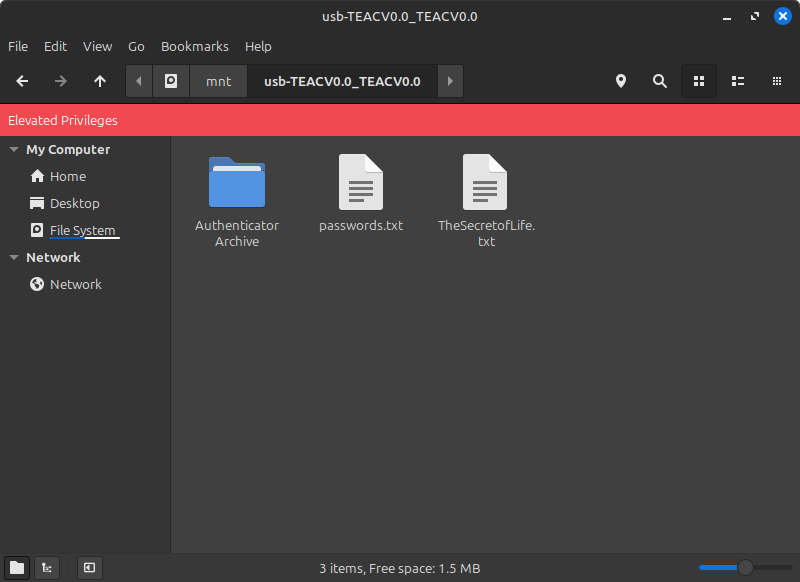
So why did I even want to do this? Because the front panel of my PC has a 3 1/2" drive hole and I wanted to populate it.

Fine, real reason is because I have a few legacy machine lying around and having a floppy drive accessible is nice to have.

How does it work? Well I have a Floppy to USB adapter inside my rig, and since my motherboard has an unused set of USB 2 headers, I just plugged it into that.

Otherwise, it was just plug and play... almost.

Why the drive works as Plug and Play, linux mint pokes the USB to see if it's still there, so I have a small script at boot that disables it for that internal header.

I am just socked that it works, and while it sucks that I need to be root to read the disks, I am just happy that the whole setup works at all.

32
24
submitted 2 years ago* (last edited 2 years ago) by the16bitgamer@programming.dev to c/linux@programming.dev

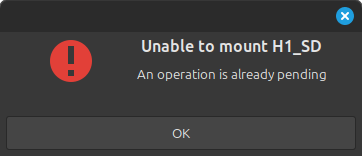
H1_SD is the name of a MicroSD card I'm connecting, it does connect a second later, but it's annoying to keep dismissing this error every time. I am also getting it with regular SD cards and USB Drives regardless on which USB Port I've connected it to, and which format it's been partitioned too. NTFS, exfat, fat all respond similarly.

EDIT Welp, I was able to brute force a "fix". There appeared to be an issue with the Nemo configuration between 21 and 22. Not sure what the issue was specifically, but deleting the users ~/.config/nemo and a reboot fixed it for me.

20

I run Davinci Resolve on my machines and I've had a heck of a time trying to install/run it on Linux Mint 22.

So I put off upgrading my main rig until a good enough resolution came around. Which turned out to be this. I followed it and it worked for me.

Apparently this is an issue caused by Ubuntu 24.04 so this guide will help if you have issues on Ubuntu too.

143
63

This is the Ultimate HD version on Vita, and man it has been my goto for just relaxing strategy games. I just wished it explained the controller better, like pressing Square to drop bombs if you have 5 gems.

It's available on Steam and I can only image how good it'll be on a Steam Deck, as the game was fantastic on the Vita and PSP.

80

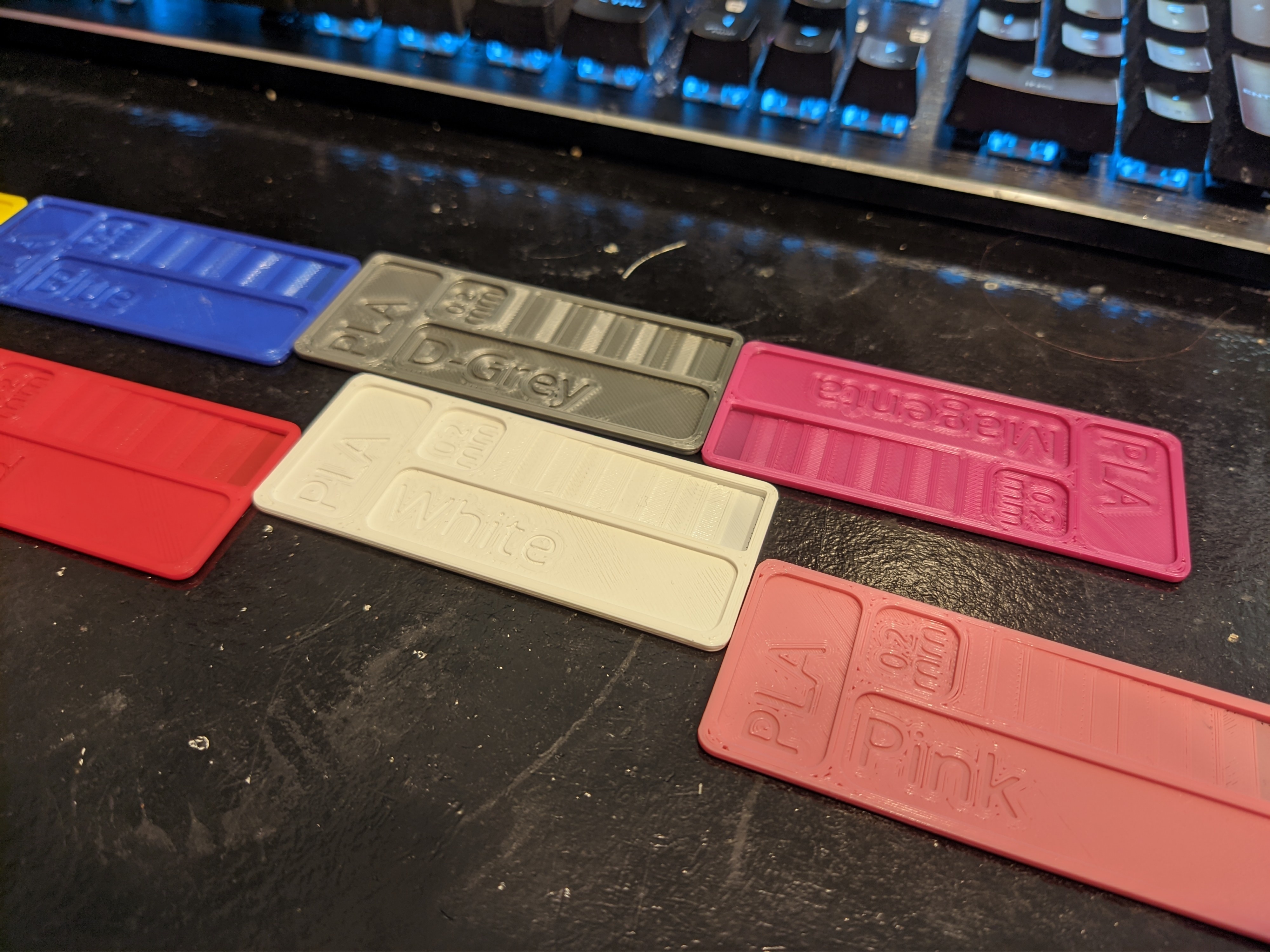
Also included on the Printables and Thingiverse Links is the FreeCAD file which I used to make these. Simply add a font file, and change the text.

Printables

Thingiverse

[-] the16bitgamer@programming.dev 11 points 3 years ago

I made a video going over my own experience. But I feel the biggest tip is to understand the difference between the OS and the Desktop Environment, since in Linux these are separate.

In Windows I found myself identifying the OS based on how the start menu looks and how the file explorer is.

But in Linux these are separate and are called Desktop Environmenta (DE). Your desktop can look like Windows with DE's like KDE Plasma, Cinnamon, or Mate. It can be Mac like with KDE Plasma, or Gnome. Or it can be unique like Gnome.

If you noticed I repeated a few names, that's because they can be customized, and some distributions make them look and feel the way they want them too.

Meanwhile the distro is more focused on what applications are pre-installed and what software will run and are available. I.e. Debain is more stable while arch is more up-to-date.

There are many guides going over this, but distro hopping is the best for narrowing this down. I found finding applications that need to work and seeing if the distro can do it, can weed out any distro that won't work for you. If you don't like the feel of a distro but like the functionally, then look for a similar distro but with a new GUI.

For example Ubuntu ships with a mostly unmodified Gnome. I personally am not a fan of Gnome and prefer a more Windows-like feel. So I look around and find Zorin, Kubuntu, and Mint.

Word of the wise though, while you can install more than one de on install, you are better off either making a new profile or not swapping your de. Something something shared resources, something something breaking your install.

75
submitted 3 years ago* (last edited 3 years ago) by the16bitgamer@programming.dev to c/3dprinting@lemmy.world

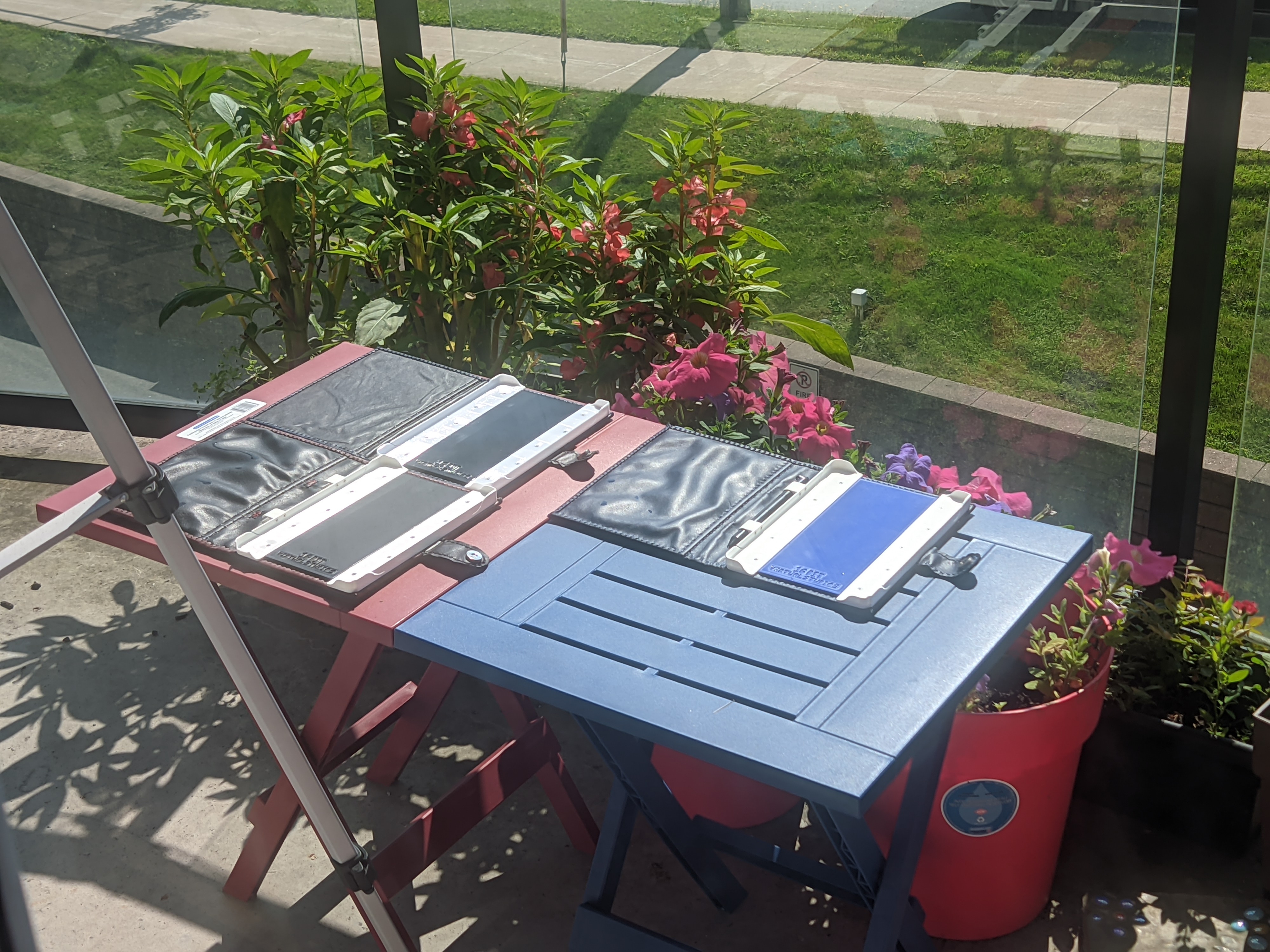
I made a 3d printable eReader case for my wife. Wanted to test what would happen if we water logged them and left them in the sun to dry.

Two of the cases are made from PLA while the other is made from PETG. They are all held together by thread and leather.

The test here is to see if moving from PLA to PETG was the right move since the last time I did this, the case turned into a banana.

My eventual plan once I've finished with my testing is to sell these cases and make their designs available for others to print.

[-] the16bitgamer@programming.dev 11 points 3 years ago

I think it depends on how invested you are in ebooks, and how much time you wanna spend on it. I would advise a Kobo if you aren't up for Tinkering or an iPad if you are flexible with the screen.

But if you are up for a challenge a Chinese ePaper Android Tablet like Onyx Boox or Bouyee, so long as you can get Google Play to work. Or a Pocket Book if you can sort out DRM removal for ebooks.

Here are the pros and cons bellow

Kobo is the easy option.

  • Adobe Digital Editions for non-kobo DRM, and library access. Its able to read DRM free books like you find on Project Gutenberg or Humble Bundle.

  • Major downside is that you can't read Amazon without effort (or a kindle serial number), book sorting kind of sucks without Calibre, and the storage size is small if you are into Comics.

iPad is the safe option

  • Apple Books app is convenient and can read anything. It can sync with your iCloud if you wanna so you can continue on your iPhone. And DRM isn't an issue since you can just download the apps.

  • but its a LCD Tablet, and no ePaper display. iTunes isn't the easiest to figure out to move books and iCloud can get verrry expensive if you are syncing comics.

Android Tablets are kind of in the same boat but...

  • with KOReader even an old (but not too old) tablet is viable. Side loading official apps.

  • OS updates are kind of hit or miss, support for older android is worse than iPad, and the devs don't put as much effort in their Android ports.

Android ePaper tablet (Onyx Boox)

  • Usually steals KOReader as its base, if its new probably has pen support so you can use it as a writing tablet, if it has Google Play you can get official apps

  • But its expensive, there is often no updates to the OS, usually no MicroSD card, and has a lot of preinstalled bloat which is hard to trust.

Kindle Tablet/fire tablet

  • Cons, its made by Amazon and will track your every movement.

  • Pros keep it offline and it can read converted DRM free ebooks converted to AZW3 via Calibre. Fire Tablets can be made into cheap eReaders with side loading. But more importantly if you do give your kindle an Amazon account you can decrypt ebooks with its serial number. So you can get cheap books on a better eReaders.

view more: ‹ prev next ›

the16bitgamer

0 post score
0 comment score
joined 3 years ago